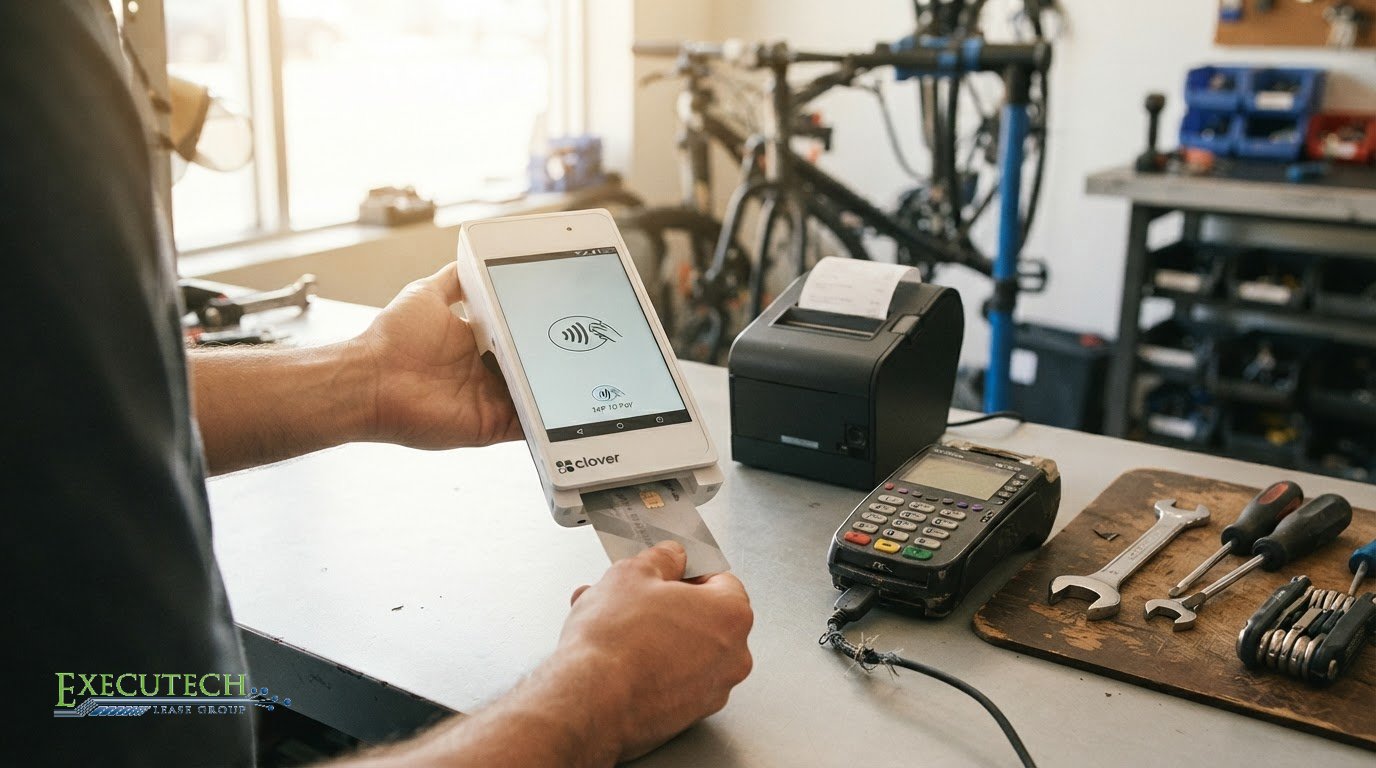
A terminal that repeatedly misreads cards, slows payments, or can’t accept the ways your customers prefer to pay is more than an inconvenience. These are clear signs you need to upgrade your credit card terminal, especially if it also fails to connect with your inventory or accounting systems. When routine repairs and workarounds become part of checkout, assess whether the equipment still fits your business.
Look beyond the device’s age. A terminal can cause problems when it creates friction for customers or extra work for your team, even if it still turns on. Assess integration gaps, transaction delays, recurring hardware problems, repair demands, and support for chip or contactless payments. These practical signals can help you decide whether to keep the current setup or plan an upgrade.
Key Takeaways
- Consider an upgrade when your terminal can’t keep pace with changing payment preferences or your business’s growth.
- Integration gaps can leave your team manually tracking sales, updating inventory, and reconciling accounts.
- Repeated delays, card-reading problems, or hardware failures can disrupt checkout and signal that your setup is becoming unreliable.
- Limited EMV chip or contactless acceptance may create friction for customers who want to pay with newer methods.
- When outdated equipment needs replacing, compare the terminal’s capabilities with your business needs and consider whether leasing fits your equipment plan.
1. When Is It Time to Upgrade Your Business Credit Card Terminal?
Your terminal should keep pace with how your business accepts payments. Growth can expose limitations: a single-counter setup may no longer fit when you add checkout stations, serve customers on the floor, or take payments in the field. If staff must direct customers to one fixed terminal or rely on workarounds, your equipment may no longer suit daily operations.
Payment preferences matter, too. A terminal without NFC may not accept contactless payments from smartphones, tablets, smartwatches, or newer cards. Customers who prefer mobile wallets may value having a compatible payment option at checkout. If your device only reads magnetic-stripe cards or requires repeated attempts, it may not support payment methods customers expect.
EMV chip acceptance is another baseline to assess. A terminal that cannot read chip cards may leave staff relying on a swipe when a chip transaction is available. The U.S. EMV liability shift took place in October 2015, and merchants may be liable for fraud if they aren’t compliant. A device that supports chip and contactless transactions can handle more payment methods at the counter.
Security capabilities also depend on terminal software. Older equipment may lack current encryption technology or no longer receive manufacturer software updates. End-to-end encryption and tokenization are safeguards used to protect sensitive transaction data. If your terminal cannot receive security updates or lacks current encryption, it may expose your business to avoidable risks. Keep terminal software current when updates are available.
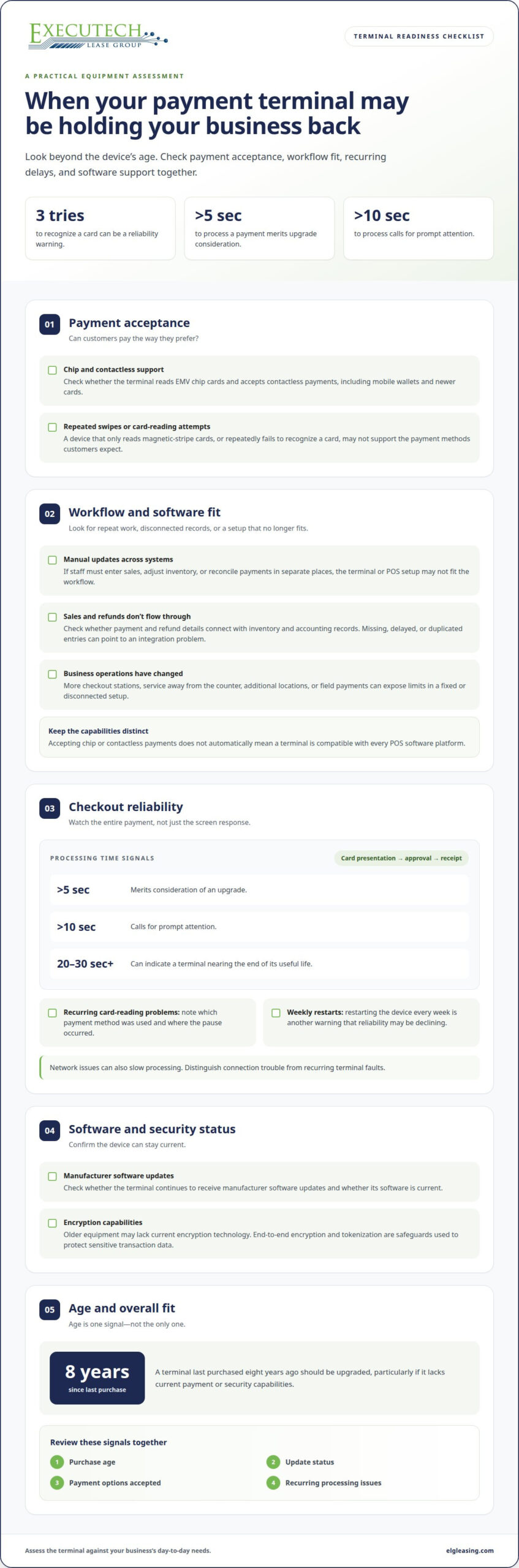
Processing problems are practical warning signs. A reader that needs three tries to recognize a card, frequently declines legitimate transactions, or lags during checkout can disrupt sales. More than five seconds to process a payment merits consideration of an upgrade; more than 10 seconds calls for prompt attention. Restarting the device weekly is another warning that reliability may be declining. Network issues can also slow processing, so distinguish connection trouble from recurring terminal faults.
Upgrade needs vary by business. A small business may prioritize reliable chip and contactless payments at one counter; a restaurant may need terminals for additional checkout stations or service away from the counter. A mobile merchant needs equipment suited to taking payments in the field.
Age alone doesn’t set a universal replacement deadline, but most terminals last several years before an upgrade may be needed. A terminal last purchased eight years ago should be upgraded, particularly if it lacks current payment or security capabilities. Check its purchase age, update status, acceptance options, and recurring processing issues together.
2. Integration with inventory and accounting systems
A payment terminal should work with the software that supports daily transactions. If the checkout device operates separately from inventory management, accounting software, or loyalty programs, staff may have to repeat tasks in multiple places. For example, an employee might record a sale at the counter, then update stock and enter the payment in separate systems. That manual process takes time and increases the chance of mismatched records.
Inventory integration connects each payment to the items sold. When a customer buys a product, a connected POS can update its stock record instead of leaving staff to adjust it later. Refunds matter, too. If a return appears in the payment system but not the inventory record, the available stock count may be inaccurate. If your setup cannot pass sales or refund details to inventory software, the equipment or POS configuration may no longer suit your workflow.
Accounting integration reduces duplicate entry during reconciliation. A connected setup can send payment and refund information to accounting software, giving staff a clearer transaction record. Without that connection, a merchant may need to match terminal receipts against sales reports and enter totals manually. Compare checkout data with your accounting records. Missing, delayed, or duplicated entries can point to a connection problem or limited integration.
POS integration can bring more than payments into one workflow. Some modern payment terminals support functions such as tracking sales, refunds, employee time, and outstanding payments. This can help a business see how checkout activity relates to other operations. But a device that accepts chip cards or contactless payments isn’t automatically compatible with every software platform. Payment acceptance and software integration are separate capabilities.
Can an existing terminal support newer payment methods and POS software? Sometimes. It needs the required payment capability, such as contactless acceptance, and the terminal must be compatible with the POS software. If either side can’t connect or receive needed updates, replacing or reconfiguring part of the setup may be necessary.
Business changes can expose integration limits. A merchant adding locations may need several stations sharing inventory and sales information; a business taking payments in the field may need a mobile device that still connects with its core records. If staff can’t access consistent data across those workflows, the terminal setup may be holding operations back. For businesses assessing replacement equipment, review equipment application options as part of planning the next setup.
3. Slow transaction processing
A payment that takes 20–30 seconds or longer to approve can indicate a terminal nearing the end of its useful life. Watch the full transaction, from card presentation through approval and receipt, rather than judging only the screen’s response. A chip sale that stalls before authorization, then delays printing, creates friction at checkout. Record which payment method was used and where the pause occurred.
Chip transactions offer a useful comparison. A current payment reader can complete a chip sale in a few seconds, while an older device may take longer. Test comparable purchases with chip cards and contactless options such as Apple Pay. If one method repeatedly lags on the same terminal, the reader or its software may be struggling with that transaction path.
Slow processing doesn’t always mean worn-out equipment. A weak internet connection or network interruption can delay authorization even when the terminal hardware works properly. Note whether delays affect every payment method, several devices, or only one machine. If multiple terminals slow down together, investigate the shared connection. If one device remains slow, examine its condition more closely.
Use a simple observation routine during normal checkout. Track when several transactions start and receive approval, note the payment method, and keep the matching receipts. Compare a busy period with a quieter one. Consistent delays at different times point to a recurring problem; a brief slowdown on one purchase may instead reflect a temporary connection issue.
Small delays compound. Across a hundred transactions on a busy day, a few extra seconds per purchase can lengthen checkout and create a queue. Customers may wait while staff retry a card or explain a stalled authorization. If the same delay recurs throughout the day, it affects operations, not just customer convenience.
Separate authorization delays from other checkout steps. Does the terminal respond slowly before sending the transaction, or wait after submission? Does approval arrive promptly, but the receipt printer pause? These distinctions help identify whether the issue lies with card reading, the connection, processing, or receipt output. A worn reader may struggle to capture card details; a network issue can interrupt communication after submission.
Repeated long transactions, especially 20–30 seconds or longer, deserve a closer look when connection problems don’t explain them. Compare chip and contactless payments, observe more than one purchase, and identify whether delays follow one device. That evidence helps determine whether the terminal’s processing performance still suits the pace of your business.
4. Terminal hardware failures and repair costs
A failing payment terminal can interrupt checkout before a customer completes a purchase. Watch for a card reader that freezes, a PIN pad that stops responding, or a receipt printer that jams repeatedly. A printer that jams on every third receipt is a clear sign of worn hardware. These recurring faults deserve attention, especially when staff must pause transactions to restart or work around the device.
Look for patterns, not just isolated malfunctions. If the same terminal needs frequent repairs, software updates, or hardware replacements, its reliability may be declining. Record each incident, the component involved, and whether checkout stopped. A card reader that freezes on different shifts, for example, points to a more persistent issue than a one-time interruption.
Workarounds can create their own operational risks. Manually entering card information may help with an occasional reader problem, but it isn’t a sound long-term fix for malfunctioning hardware. If the keypad fails or the reader can’t capture card details, staff may be unable to complete transactions normally. A jammed printer can also delay receipts, even when the payment goes through.
How much does it cost to replace or upgrade a credit card terminal in the U.S.? The cost depends on the terminal, required features, compatibility with the POS setup, and installation needs. Pricing varies by situation and is provided after a quote request.
To weigh repair against replacement, compare recurring repair expenses and disruption with the equipment’s remaining usefulness. Consider whether a repair addresses one isolated component or leaves other aging parts in service. For example, replacing a failing reader may not solve a printer that also jams or a keypad that intermittently stops working. Repeated fixes across several components point to a broader hardware problem.
Consider operational impact alongside the repair bill. A frozen reader can hold up transactions until the issue is resolved, and staff may need to redirect customers or pause checkout. Frequent interruptions can make a terminal unreliable during busy periods. If repairs or updates keep recurring without restoring dependable operation, replacement deserves serious consideration.
Use a simple decision process: list recurring faults, note which components have needed attention, and compare repair needs with the terminal’s payment and POS capabilities. If one repair restores reliable use, keeping the device may make sense. If multiple hardware failures recur or the terminal can’t support current business needs, replacement may be more practical. Plan the switch around checkout operations and account for staff familiarity with the new setup.
5. EMV chip card acceptance
An outdated card reader that can’t accept EMV chip cards limits how customers can complete a purchase. Chip acceptance means the terminal reads the card’s embedded chip instead of relying only on its magnetic stripe. If staff regularly ask customers to swipe chip cards, the reader may lack a capability your checkout now requires. Treat repeated failed insertions or swipe workarounds as reasons to assess the equipment.
Chip and PIN compatibility involves more than the reader. The terminal, PIN pad, and payment setup must work together to capture the chip transaction and any required PIN entry. A device that reads a chip but can’t complete the transaction through its connected setup still creates checkout friction. Include the PIN pad and POS connection when evaluating whether the equipment can handle the transactions your business accepts.
Contactless acceptance is related to chip insertion, but it isn’t the same capability. A card reader may accept an inserted EMV card without supporting tap payments from a contactless card or mobile wallet. For example, a customer may tap a phone, then need to insert a card if the terminal can’t process the tap. Check each method separately: chip insertion, contactless card tap, and mobile wallet payment.
What are the risks of using an unsupported or noncompliant payment terminal? It may fail to recognize newer chip cards or security protocols, and it may no longer receive manufacturer software or security updates. If a chip card is swiped instead of inserted, merchant fraud liability can shift. Compatibility problems can also cause declined transactions or checkout delays.
Review the terminal’s update status alongside its payment features. A reader that can’t receive security updates may miss protections and software improvements. Current encryption and available firmware updates matter because the terminal handles sensitive payment data. If the manufacturer has issued an end-of-life notice for your model, note the stated deadline and plan a replacement before the terminal stops functioning.
Use a straightforward assessment. First, test an EMV chip card by inserting it. Next, test contactless acceptance separately. Then confirm that the PIN pad and POS setup complete the transaction, rather than leaving staff with a swipe workaround. If any step fails repeatedly, the reader may no longer support your payment requirements.
Replacing outdated equipment makes sense when it cannot accept the chip transactions your customers use, or when its support and security updates have ended. A terminal that still reads chip cards may remain suitable if it also works with your payment setup and receives needed updates. Evaluate the complete transaction path, not just the card reader.
Executech Lease Group (ELG Leasing): 12–60 Month Credit Card and POS Equipment Leases
Executech Lease Group (ELG Leasing) helps merchants acquire credit card terminals and POS equipment when outdated devices no longer fit their payment or operating needs. Its 12–60 month equipment leases offer a path to plan for replacement equipment without treating the purchase as an immediate equipment acquisition. Lease-to-own and Fair Market Value (FMV) lease options provide different structures to consider for your equipment plan.
If your business uses Clover devices, ELG leases POS and card-terminal equipment, including Clover devices. Leasing may suit businesses preparing to replace an unsupported terminal or planning equipment needs around the end of a lease term. The right choice depends on your equipment requirements and preferred lease structure.
Contact Executech Lease Group to discuss equipment leasing for your business.
Plan Your Next Terminal Around the Way You Work
Recognizing signs you need to upgrade your credit card terminal gives you a starting point, not a complete equipment plan. Before choosing replacement equipment, map the checkout workflow you want, from customer payment through recording and reconciling the sale. This keeps the decision focused on business needs, rather than simply replacing an aging device with another terminal.
Write down the payment methods your customers use, where staff take payments, and which systems need transaction information. Then identify the capabilities essential from day one and those that can wait. A clear brief makes it easier to evaluate equipment options and plan a change that fits your operations.
Executech Lease Group (ELG Leasing) can help you explore equipment leasing for payment terminals and POS systems. Review your equipment needs and lease preferences, then discuss a path that fits your business.
A thoughtful equipment decision can give your next checkout setup a clearer direction.
Frequently Asked Questions
When Is It Time to Upgrade Your Business Credit Card Terminal?
Plan an upgrade when your payment setup no longer matches your business workflow or the manufacturer sets an end-of-life date for the device. Signs that you need to upgrade your credit card terminal become more urgent as an announced deadline approaches. Build a replacement plan around equipment needs, software compatibility, and the time required to prepare staff for a new checkout process.
What does an upgrade actually involve?
An upgrade involves choosing equipment that fits your checkout environment, confirming compatibility with your POS setup, and preparing the new workflow. Decide whether staff need a fixed counter terminal or a device they can move around the business. Before relying on it for everyday sales, test a complete transaction, including payment acceptance, connected POS functions, and the customer receipt. Show staff how to follow the updated checkout sequence.
Will switching disrupt sales?
A poorly timed change can interrupt checkout, so plan the transition around your operating schedule. Choose a quieter period, prepare staff before the first customer uses the new device, and test key transaction types in advance. Keep the payment workflow clear for employees, including how to handle a declined transaction or receipt issue. A planned change gives your team time to learn the setup before a busy shift.
What are the signs a credit card terminal is outdated or failing?
Look for a manufacturer end-of-life notice, recurring freezes, inconsistent card reading, or a device that no longer receives software updates. Record each incident with its date, payment method, and affected component. This helps distinguish an isolated connection interruption from a recurring device fault. Repeated disruption across separate shifts points to an equipment issue that deserves a replacement assessment.
What are the EMV, NFC, and contactless payment requirements for terminals?
EMV chip acceptance and NFC contactless acceptance are separate capabilities. An EMV reader processes an inserted chip card; NFC enables tap acceptance from compatible cards and mobile wallets. Match the terminal’s capabilities to the payment methods your business intends to accept, then check that its POS setup can complete those transactions. There isn’t one feature set for every business, so assess the device and checkout workflow together.
Should a business lease, buy, or upgrade its payment terminal?
Choose based on your equipment budget, ownership preference, and expected replacement horizon. Buying may suit a business that wants to own its equipment; leasing involves scheduled obligations and end-of-term options. Before deciding, compare the agreement with the equipment’s expected use and your technology plans. An upgrade addresses a capability or reliability gap, while how you acquire the new device is a separate decision.
What steps are involved in replacing a credit card terminal without disrupting payments?
Start by documenting the current checkout workflow and the functions the replacement must support. Then select compatible equipment, coordinate the transition with the relevant payment and POS setup, and prepare staff for the new steps. Test a sale, refund, and receipt before the new device handles routine transactions. Schedule the change during a quieter operating period and give employees a clear process for questions or transaction issues.
This article reflects the author’s opinion for general information only and isn’t tax, legal, or accounting advice. Consult your CPA or attorney about your specific situation.
How much does it cost to replace or upgrade a credit card terminal in the U.S.?

Article by
Robert Ensminger
Robert Ensminger is the founder and CEO of Executech Lease Group (ELG Leasing), which specializes in equipment leasing and financing solutions for the merchant-services, payments, POS, and FinTech industries. With more than 20 years of industry experience, Robert helps ISOs, payment processors, POS providers, and software companies build practical equipment leasing programs. He founded ELG in 2010. His work focuses on responsive service, transparent program structures, subscription and SaaS-monetization programs, and helping ELG’s partners close more business while creating sustainable revenue.