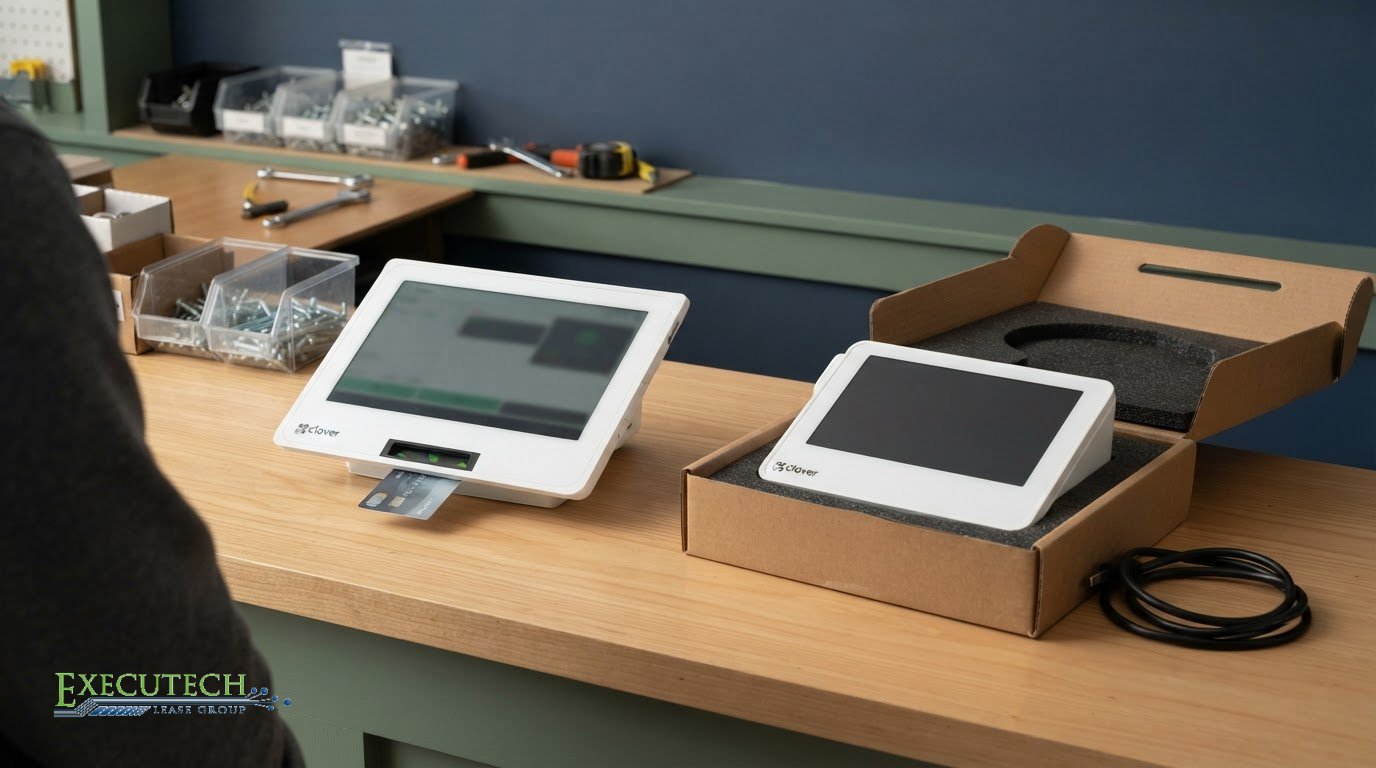
What happens when a leased POS terminal fails during a busy shift? Replacing broken leased POS equipment starts with identifying the lessor and reviewing your agreement. The contract and the equipment manufacturer’s warranty determine the next steps. An advanced exchange may be available under the applicable terms, but it isn’t automatic.
A failed terminal can disrupt checkout, so it helps to identify the right contact and process quickly. The lessor handles the lease relationship; the equipment manufacturer provides any warranty. Knowing which party to contact can clarify who arranges shipping, what happens to the faulty unit, and whether return instructions apply.
This guide explains how to identify the lessor, find the relevant lease terms, and understand advanced exchange, shipping, and return steps. It also covers what to consider before switching to a different POS model, so you can respond to hardware failure with a clear plan.
Key Takeaways
- Start by identifying whether the manufacturer, lessor, or merchant services provider handles the failed device. The lease agreement and manufacturer’s warranty help clarify their respective roles.
- An advanced exchange may be available through the equipment manufacturer, but eligibility, shipping, and return steps depend on its process and applicable terms.
- Keep payment operations moving by documenting the failure, locating relevant contacts, and following the responsible party’s instructions for the faulty equipment.
- Review the lease before considering a different model. Replacement options and any related terms depend on the agreement and the parties involved.
- Executech Lease Group leases POS and card terminal equipment, including Clover devices, but does not provide warranties, repairs, replacements, or exchange support.
Advanced exchange for failed POS equipment
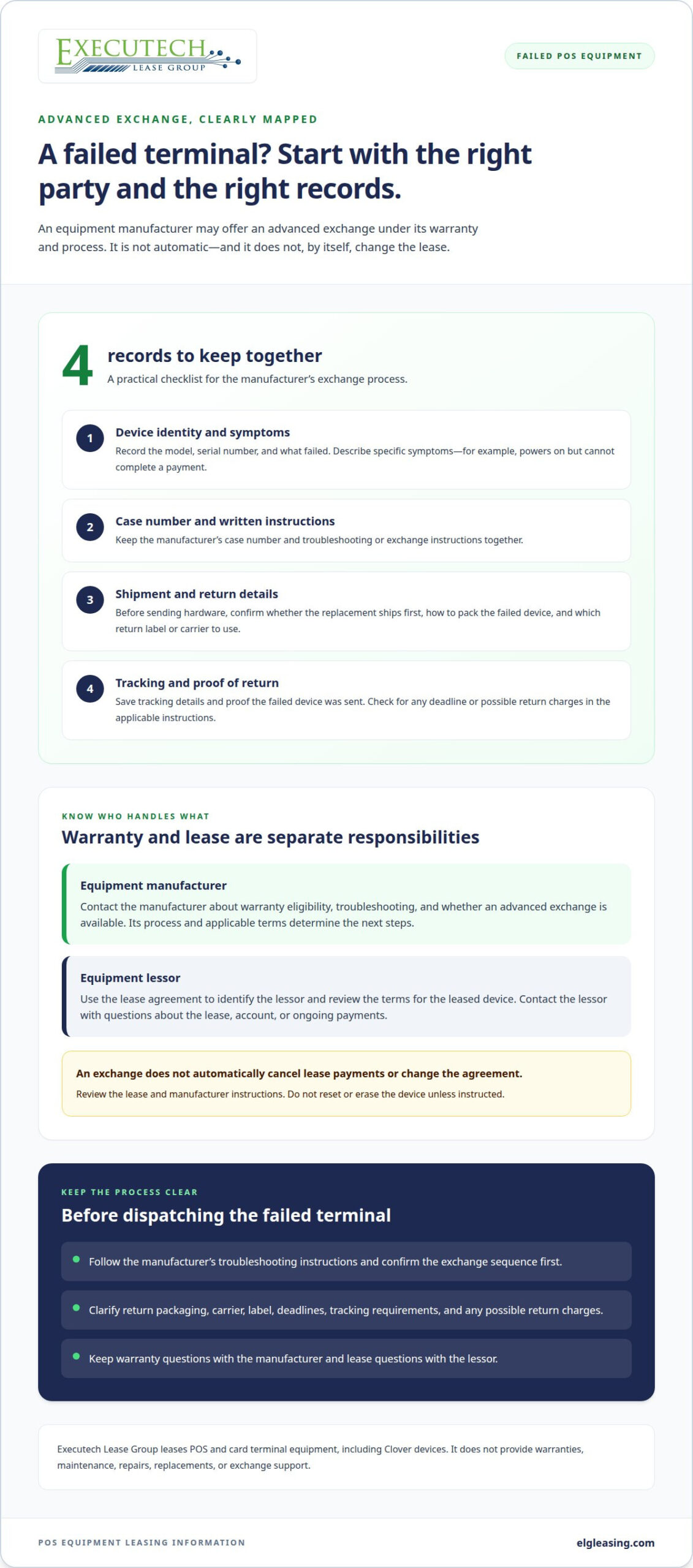
An advanced exchange may reduce the wait for working POS hardware. The equipment manufacturer may ship a replacement before receiving the failed unit. This is different from buying new equipment or changing the lease. The manufacturer’s warranty and exchange process determine whether this option applies.
Start with the manufacturer’s support channel and identify the device. Provide its model and serial number, describe the failure, and explain whether it affects payment acceptance, receipts, or another function. The manufacturer may ask you to troubleshoot before deciding whether the device qualifies for an exchange. Keep the case number and instructions together.
If the manufacturer approves an exchange, clarify the sequence before shipping anything. Ask whether the replacement ships first, how to pack the failed device, and which return label or carrier to use. Confirm any deadline, tracking requirements, or possible return charges. These details matter: an untracked package can complicate the exchange and leave the original device’s status unclear.
- Record the device model, serial number, and failure symptoms.
- Keep the manufacturer’s case number and written instructions.
- Confirm the replacement shipment and return process before dispatching hardware.
- Save tracking details and proof that the failed device was sent.
For example, if a terminal powers on but cannot complete a payment, describe both facts to support. Don’t simply label the device “broken.” Clear symptoms help the manufacturer distinguish a hardware failure from a connection or setup issue. Follow its troubleshooting instructions, and don’t reset or erase the device unless instructed.
Keep warranty support separate from lease administration. Warranty coverage and financing obligations may be addressed separately, so review the relevant documents. An exchange doesn’t automatically cancel lease payments or change the agreement. Review the terms and contact the lessor if the failure raises questions about the leased device, account, or ongoing payments.
Executech Lease Group (ELG) provides equipment leasing, not warranties, maintenance, repairs, replacements, or exchange support. It doesn’t arrange a manufacturer’s advanced exchange. Contact the manufacturer about warranty eligibility and exchange steps, and use your lease agreement to find the lessor’s contact details. Keeping these responsibilities separate helps you direct each issue to the right party.
Downtime reduction
Protect payment data and business continuity by using only a payment method approved by your processor while POS hardware is out of service. Keep card details out of handwritten notes, email, and text messages. Follow your processor’s instructions for any fallback process.
First, identify what stopped working. Check whether the issue affects one terminal, the network connection, or every register. For example, if one device fails but another approved terminal still processes payments, redirect transactions there and tell staff which register remains available. If terminals across your business are affected, contact your merchant services provider through its established support channel.
Next, document the failure without recording payment data. Note the affected device, when the problem began, visible error messages, and steps already attempted. Share that information with the responsible support contact. A concise report helps distinguish a hardware fault from a connectivity or account issue, so staff can avoid repeating troubleshooting or disrupting working devices.
- Keep the provider’s support contact and account details accessible to managers.
- Use another approved terminal only after confirming it can accept payments.
- Tell staff which checkout stations are unavailable and what process to follow.
- Track unresolved transactions without writing down card numbers or security codes.
Don’t move payment applications or customer information to a personal phone or unapproved device. Don’t attempt offline processing unless the terminal and processor explicitly support it and provide instructions. A backup process should preserve transaction records without exposing card data. If a payment’s status is unclear, follow the processor’s guidance before charging again; duplicate charges can create extra work for staff and customers.
Keep the failed terminal secure while support investigates. Don’t discard it, open its casing, or erase it unless the manufacturer or responsible support contact directs you to do so. This preserves the device for diagnosis and keeps handling consistent with return instructions. Assign one manager to coordinate updates, record case details, and brief each shift. That avoids conflicting troubleshooting and gives employees a clear payment-processing routine.
For future planning, separate an urgent repair or exchange from a planned equipment purchase. Buying outright may be one approach; equipment leasing can structure payments over a term instead. If a future POS purchase is part of your operations plan, you can start an application for equipment financing. A financing arrangement doesn’t provide repair or replacement service for a failed device.
Identifying the POS equipment lessor and finding the lease agreement
Before arranging a replacement, identify the lessor and read the agreement’s equipment and replacement terms. Check who owns or finances the POS system, which devices the contract covers, and which contact handles lease questions. The equipment manufacturer, payment processor, merchant services provider, and lessor may be separate organizations.
Start with paperwork from the original transaction. Search email for “lease,” “equipment,” “POS,” and the provider’s name. Review signed documents, invoices, welcome messages, and account statements. A recurring payment descriptor may offer a clue, but it could name a billing company rather than the lessor. Compare that name with the parties and contact details in the agreement.
If you can’t find the agreement in your records, check the account portal used for leasing or payment processing. Ask the original sales contact or merchant services provider for a copy and the lessor’s current contact information. Provide the business name and equipment details, such as the terminal model or serial number. Don’t send full payment-card information when requesting documents.
Once you find the agreement, check the sections covering the equipment schedule, service responsibilities, warranty references, replacement procedures, and return instructions. Confirm whether the listed POS system includes accessories such as printers or card readers. Note who may authorize a device change, how to report a failure, and whether the contract explains charges or obligations related to damaged equipment.
Before arranging a replacement, check whether the agreement specifies who approves it, what equipment terms apply, and how to handle the original device. Review any provisions about lease payments, equipment returns, and changes to the covered devices. These details help distinguish a manufacturer warranty process from a leasing decision.
For example, an invoice may name a payment processor while the signed agreement identifies a separate lessor. Contact the lessor about the lease and the manufacturer about warranty coverage. If a merchant services provider supplied the POS technology, it may also clarify who configured the system or handles payment acceptance. Keep each organization’s role clear.
Create a simple contact record with the lessor’s name, account reference, agreement location, and relevant phone or email details. Keep the manufacturer’s case information separate. This gives the store manager a clear route for lease questions and hardware issues, without confusing a credit or payment inquiry with a warranty request.
Replacement shipping and returns
Before a replacement terminal ships, identify who controls each step: the equipment manufacturer, merchant services provider, or lessor. The manufacturer may handle warranty shipping, while the merchant provider may coordinate setup or payment processing. The lease agreement can identify the lessor, but it doesn’t automatically provide shipping or return instructions.
Ask the responsible party to confirm the destination, carrier, tracking process, and return deadline before packing the failed device. Clarify whether the replacement ships before the original terminal is returned. If your business relies on one register, that sequence affects checkout planning and how staff coordinate the transition.
- Confirm the replacement model and delivery address.
- Ask whether the shipment includes return packaging or a label.
- Record the return deadline, carrier, and tracking details.
- Confirm which accessories must travel with the failed terminal.
Keep the instructions with the device’s service record. For example, if a provider requests only the terminal, don’t include the receipt printer, cables, or other equipment. Photograph the device and accessories before packing. Remove store labels or documents only when the responsible party instructs you to. Don’t erase software or reset settings unless support directs you.
When the replacement arrives, compare its model and contents with the shipment details. Follow the provider’s setup instructions before accepting a live payment. If the POS software needs configuration, use the designated merchant or provider support channel. Keep the failed terminal secure until the return is complete, especially if it contains business settings or stored transaction records.
Track the return from handoff to delivery. Save the carrier receipt, tracking number, and delivery confirmation with the manufacturer’s case details. If tracking stops or the package arrives damaged, promptly report it to the party that issued the label. Clear records help distinguish a shipping issue from a device or software problem.
Also clarify how the equipment exchange relates to the lease. Ask the lessor whether monthly payments continue during the manufacturer’s process, and keep the answer with the agreement. Shipping a failed terminal doesn’t by itself change the lease terms. A merchant provider, manufacturer, and lessor may each handle different steps, so direct shipping questions to the party responsible for that shipment.
Can I replace leased POS equipment with a different model?
A different model isn’t automatically interchangeable with leased POS equipment. The lease agreement, manufacturer’s warranty process, and payment provider’s requirements each affect what can happen. Distinguish a warranty replacement for failed hardware from a change to the equipment covered by the lease.
Start with the agreement’s equipment schedule. It may identify the terminal, register, peripherals, or other devices included in the transaction. Compare that description with the model proposed by the manufacturer or merchant services provider. A replacement terminal may have different features or configuration, so the written equipment details matter.
Then identify who can authorize each step. The manufacturer handles its warranty process, and the lessor handles the financing agreement. A merchant services provider may address payment acceptance, software, or system configuration. Approval from one organization doesn’t necessarily change another organization’s terms. Keep those responsibilities separate before accepting a different device.
- Review the agreement’s equipment schedule and replacement language.
- Ask the manufacturer whether its warranty process permits another model.
- Confirm with the lessor how a different device affects the agreement.
- Ask the payment provider about compatibility and configuration.
For example, a manufacturer might offer a replacement terminal with a different model number. Before accepting it, confirm whether the lessor treats it as a warranty replacement or a change to leased equipment. Separately, the merchant provider can clarify whether the model works with your payment setup. Don’t assume the device can accept payments just because it powers on.
Some POS lease agreements may impose significant charges for changing systems. Read the relevant terms before authorizing a change, and keep written responses with the agreement. Don’t stop monthly payments, return equipment, or order a different system based only on a verbal conversation. These actions can affect the lease independently of the manufacturer’s warranty decision.
If the current equipment is outdated rather than broken, consider a new system as a separate decision tied to the end of the lease term. Compare your business needs, required peripherals, software, and payment setup before selecting equipment. A planned purchase or new financing arrangement is distinct from a warranty exchange and doesn’t itself authorize a device change during an active lease.
Executech Lease Group (ELG Leasing): 12-60 Month POS and Payment-Processing Equipment Leases
Executech Lease Group (ELG) finances POS and payment-processing equipment for businesses acquiring technology. If a failed terminal has prompted broader questions about replacing your system, ELG may be relevant for a separate equipment acquisition, not a repair or warranty exchange.
ELG offers credit card and POS equipment leases with terms from 12 to 60 months. Businesses can also consider lease-to-own programs or fair market value (FMV) lease options. These structures address how equipment is financed; they don’t determine whether a manufacturer will repair or replace a failed device.
Keep these responsibilities distinct. The equipment manufacturer provides any warranty, while the lease agreement governs the financing relationship. ELG doesn’t provide warranties, maintenance, repairs, replacements, or exchange support. For a device that has stopped working, direct warranty and service questions to the manufacturer or responsible support contact. Consider financing when your business plans to acquire POS equipment, not as a remedy for hardware failure.
For a new equipment plan, first define what your business needs to accept payments and run checkout. Identify the equipment to be financed and the lease structure you want to explore. Then review the proposed agreement’s term and payment obligations before deciding whether it fits. Lease-to-own and FMV options have different structures, so compare the written terms rather than assuming they work alike.
This distinction matters if the manufacturer’s exchange process supplies a replacement terminal. That exchange belongs to the manufacturer’s warranty process, not a new lease application. If you’re planning a separate POS equipment acquisition, ELG’s lease options may offer a financing path to consider. Discuss your equipment financing needs and review the available program information.
Contact Executech Lease Group to discuss POS equipment financing.
Plan the next POS decision with clarity
A practical approach to replacing broken leased POS equipment starts by separating an urgent hardware failure from a future equipment decision. Keep the failed-device case with the manufacturer, and treat any planned POS acquisition as a separate financing discussion. This helps avoid assuming that a new lease changes an existing agreement or resolves a warranty issue.
Use the experience to shape a practical equipment plan. Note which checkout functions matter most, which peripherals staff rely on, and what your payment setup requires. When considering financing for a future acquisition, compare the proposed lease structure and obligations with your business needs. Clear information makes the next decision more focused.
ELG finances POS and payment-processing equipment, but doesn’t provide warranty, repair, replacement, or exchange support. For financing questions about a planned equipment acquisition, take the next step when you’re ready.
Keep the manufacturer’s service process separate from equipment financing decisions. With the right details in hand, you can plan your business’s POS needs more clearly.
Frequently Asked Questions
What happens if the rented POS hardware is damaged or stops working?
Depending on the failure and warranty terms, the device may need manufacturer troubleshooting, warranty service, or an exchange. A leased terminal’s financing agreement is separate from the manufacturer’s service process. For example, if a printer still works but the terminal won’t read payments, report the specific fault rather than treating the entire POS setup as unusable. Keep the lease documents available while the manufacturer assesses the device.
What should I do if leased POS equipment breaks?
When replacing broken leased POS equipment, first identify which functions have failed and whether other approved devices still work. Record the error message, device model, and when the issue began. Then report the problem through the manufacturer’s support channel and follow its troubleshooting directions. Keep payment-card details out of your notes. If the fault affects the leased asset or agreement, contact the lessor separately.
Who is responsible for repairing or replacing leased POS equipment?
The equipment manufacturer is responsible for any warranty it provides; the lease company’s role is defined by the financing agreement. A merchant services provider may handle payment setup or processing questions, but that doesn’t make it the equipment repair provider. ELG doesn’t provide warranties, maintenance, repairs, replacements, or exchange support. Direct service requests to the manufacturer and lease questions to the lessor named in your agreement.
Does a POS equipment lease include repair or replacement coverage?
A lease by itself doesn’t establish repair or replacement coverage. Coverage depends on the written lease terms and the equipment manufacturer’s warranty. Read the agreement for service responsibilities, then review the manufacturer’s warranty information for covered failures and claim steps. ELG provides equipment leasing, not warranty or repair coverage. Don’t assume damage, malfunction, or an exchange changes the lease’s payment obligations.
How do I report broken equipment to my POS leasing company?
Use the lessor’s contact details in your signed agreement or account records, and report the issue as a lease-related inquiry. Include the business name, account reference, affected device, and a brief description of the problem. Don’t send cardholder data. Contact the equipment manufacturer separately for a warranty claim. Keeping these requests distinct helps each organization route the issue appropriately and preserves a clear record of your communications.
Will I need to keep making lease payments while equipment is broken?
A hardware failure doesn’t automatically change the payment schedule. Review the payment and service terms in your signed agreement, and contact the lessor if you need account clarification. Don’t stop or change payments based only on a manufacturer service case or verbal conversation. If the lessor confirms a change to your payment obligations, keep that communication with your lease records.
How long does POS equipment replacement usually take?
There isn’t one standard replacement timeframe. The process depends on the manufacturer’s diagnosis, warranty eligibility, replacement availability, shipping arrangements, and required return steps. Ask the manufacturer for your case’s current status and what must happen next. For example, an exchange requiring troubleshooting first may follow a different sequence from one approved for shipment. Keep the case reference and shipping updates together.
This article reflects the author’s opinion for general information only and isn’t tax, legal, or accounting advice. Consult your CPA or attorney about your specific situation.

Article by
Robert Ensminger
Robert Ensminger is the founder and CEO of Executech Lease Group (ELG Leasing), which specializes in equipment leasing and financing solutions for the merchant-services, payments, POS, and FinTech industries. With more than 20 years of industry experience, Robert helps ISOs, payment processors, POS providers, and software companies build practical equipment leasing programs. He founded ELG in 2010. His work focuses on responsive service, transparent program structures, subscription and SaaS-monetization programs, and helping ELG’s partners close more business while creating sustainable revenue.