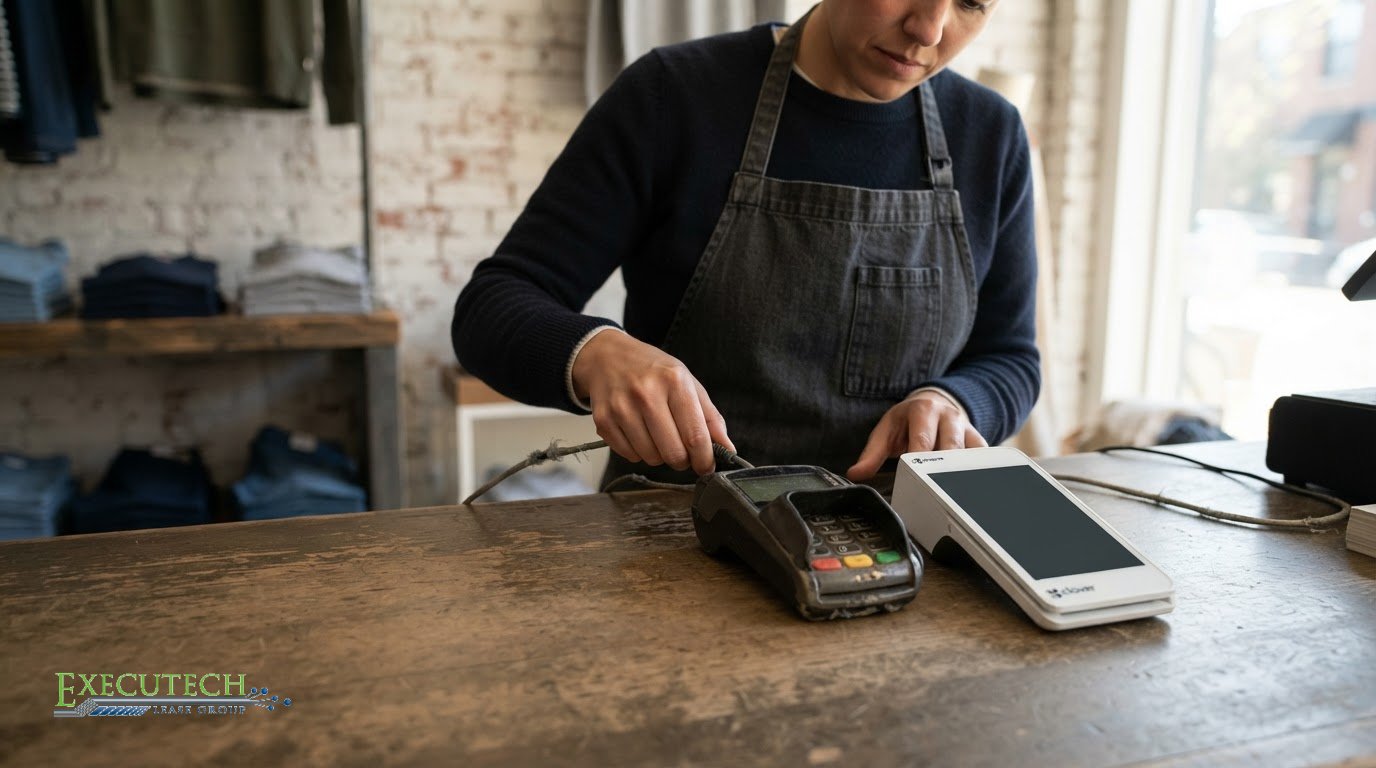
An aging POS system isn’t automatically due for replacement, but persistent limitations are a clear reason to reassess it. A POS system usually has a lifespan of about five years. If yours struggles with current payment options, slows checkout, or has recurring hardware problems, weigh the cost of upgrading against the operational benefits it could bring.
It makes sense to keep working equipment in service rather than replace it just because it’s old. But a system that creates friction for customers or staff can carry costs of its own. Knowing what to do when your POS system is obsolete means looking beyond its age and assessing how reliably it supports daily transactions.
This article explains how outdated payment options, checkout delays, and hardware failures affect the decision. You’ll also learn how to assess potential returns, including whether better sales and inventory visibility could make an upgrade worthwhile. The goal is to give you a clear, practical basis for deciding whether to keep your current setup or plan a replacement.
Key Takeaways
- Assess whether checkout delays or limited payment options are disrupting sales and the customer experience.
- Weigh recurring hardware failures and hard-to-source parts against the cost and disruption of replacement.
- Estimate potential returns by comparing upgrade costs with practical gains in checkout speed, inventory visibility, and day-to-day efficiency.
- Look beyond age: outdated software, weak integrations, and limited support can signal that a POS system no longer meets your needs.
- Compare replacement approaches, including equipment lease options, against your business needs and budget.
Slow transactions and customer wait times
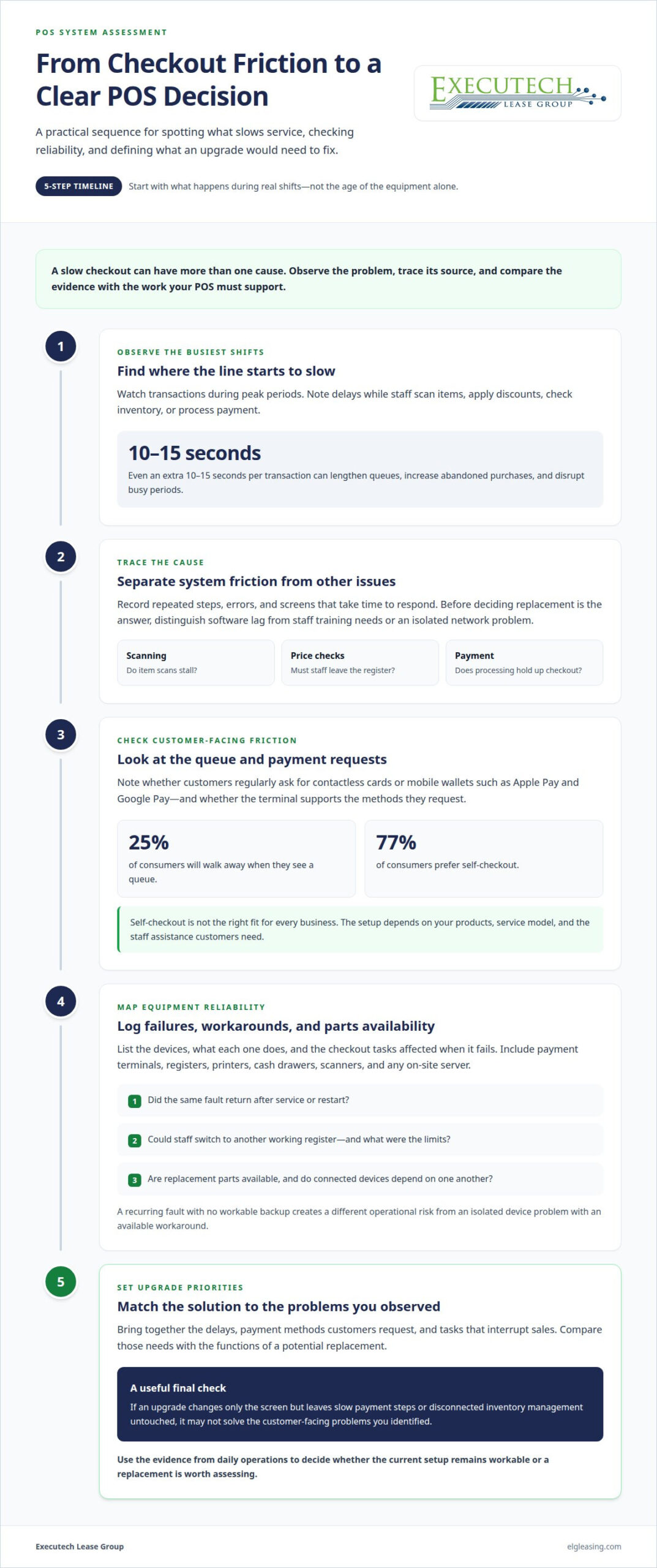
Checkout delays make an outdated POS system visible to every customer in line. Even an extra 10-15 seconds per transaction can lengthen queues, increase abandoned purchases, and disrupt busy periods. The impact compounds when staff must repeat steps, correct errors, or wait for screens to respond. A quick payment process is part of the customer experience, not just an operational detail.
Watch the checkout line during your busiest shifts. Note whether delays occur while scanning items, applying discounts, checking inventory, or processing payment. For example, if a cashier has to leave the register to confirm a price, every customer behind them waits. Before deciding that replacement is the answer, distinguish software lag from staff training needs or an isolated network problem.
Customer expectations also include flexible payment methods. Shoppers may want to use contactless cards or mobile wallets such as Apple Pay and Google Pay. If the terminal cannot accept a method customers regularly request, the checkout becomes less convenient and may weaken trust. A packed register area can also drive customers away: 25% of consumers will walk away when they see one. The figure makes queue visibility a business concern, not merely a comfort issue.
Faster service does not mean every business needs self-checkout. While 77% of consumers prefer self-checkout, the right setup depends on the products, service model, and level of staff assistance your business provides. A retailer with frequent price checks may prioritize responsive product lookup. A café may focus on quick modifiers and payment completion. Evaluate the customer experience your business actually delivers.
How do you transfer sales, inventory, and customer data to a new POS system? Export records from the old system, map fields such as item codes and customer details to the new platform, then import the data and reconcile totals. Test a sample of sales and inventory records before relying on the new system for live transactions.
What hardware and software are needed to replace an obsolete POS system? A typical setup may include a POS terminal or tablet, payment terminal, receipt printer, cash drawer, and POS software. Choose compatible components that support the payment methods, reporting, and inventory management your business uses.
Use your checkout observations to set upgrade priorities. List the delays, payment methods customers request, and tasks that interrupt sales, then compare those needs with the new system’s functions. If an upgrade changes only the screen but leaves slow payment steps or disconnected inventory management untouched, it may not solve the customer-facing problems you identified.
Checkout priorities can also affect stock availability. Businesses can move slow-selling products to locations where demand is higher. Setting reorder points based on sales speed and restocking time can help avoid overstocking, while bundling slow-moving items with popular products can make offers more appealing.
Modern payment methods used by customers include mobile wallets such as Apple Pay and Google Pay, contactless payments, and online payment platforms. Restaurant and retail cashiers could have been replaced with self-ordering technology 10 to 15 years ago, but checkout design still depends on service needs. Modern POS solutions may use encryption, tokenization, and automatic security updates to protect customer data.
Hardware failures and hard-to-source spare parts
Older on-site POS hardware can fail without warning, and replacement parts may be difficult to source. A terminal that stops reading cards, a receipt printer that repeatedly jams, or a server that won’t start can interrupt sales. One failure may seem minor, but recurring problems make an outdated POS harder to rely on during busy shifts.
Start by recording each device, its role, and the problems staff encounter. Include payment terminals, registers, printers, cash drawers, scanners, and any on-site server. Note whether a failure is isolated or affects connected equipment. For example, a register that loses its connection whenever the server stalls points to a broader reliability issue than one faulty printer.
Use an equipment inventory to spot patterns and assess practical risks. Track:
- Which device failed and which checkout tasks it interrupted.
- Whether the same fault returned after service or restart.
- How easily staff could switch to another working register.
- Whether replacement parts remained available for that model.
A recurring fault matters more when there’s no workable backup for the affected device. If one receipt printer fails but another register can print receipts, the disruption differs from a server outage that stops every checkout. Record the workaround and its limits to distinguish a contained hardware issue from a system that threatens daily operations.
Parts availability also affects the replacement decision. If a specific terminal model is discontinued, sourcing a matching unit or component may take longer or complicate compatibility. A substitute device might not work with the existing POS software, cables, or peripherals. Before keeping older equipment in service, map which devices depend on one another and identify single points of failure.
Compare the pattern of failures with your business’s operating needs. A store that depends on one checkout station faces a different risk from a business with several independent registers. Consider peak periods, transaction volume, staff workarounds, and the time needed to restore service. These factors help show whether continued use is manageable or creates recurring operational problems.
When replacement becomes the practical option, a new equipment setup can be planned around current checkout needs rather than matching every old component. If equipment leasing fits your replacement plan, start an equipment application.
Potential return on investment from upgrading
A POS upgrade makes sense when measurable operational gains outweigh its full cost. Faster transactions are one possible benefit, but returns may also come from fewer checkout errors, stronger inventory management, and better sales visibility. A modern POS can sync sales and inventory in real time, helping you spot changes in demand and make more informed purchasing decisions.
Start with a baseline from your current system. Review transaction speed, correction frequency, stock discrepancies, and time spent preparing sales reports. For example, if staff routinely reconcile inventory manually after each shift, record the hours and errors involved. Compare those results with the processes a replacement system would automate. This turns broad promises into specific measures you can assess.
Modern POS platforms can also provide real-time analytics on sales trends, staff performance, and product profitability. Reports can help you identify consistently selling products, shifts that may need staffing adjustments, or items tying up inventory. Automatic reordering and demand forecasting may also reduce manual work. Their value depends on whether your team uses these tools to change purchasing, staffing, or merchandising decisions.
How much does it cost to upgrade or replace a POS system in the United States? The total depends on the hardware, software, number of terminals, peripherals, integrations, and any installation or data-migration work. Compare the full quoted scope with the features your operation needs, rather than judging the investment by the terminal alone.
To estimate potential payback, list the upgrade’s total cost and the operational improvements it could support. Include reduced manual work, fewer transaction corrections, more accurate inventory, and avoided downtime. A POS upgrade may pay for itself through faster checkouts, fewer errors, improved inventory management, and better customer loyalty, but there’s no fixed timetable. Results depend on the problems you’re starting with and how the new system is used.
How do you replace or upgrade a POS system step by step? First, define the problems and record current performance. Next, select a system that addresses those needs, confirm compatibility with essential hardware and software, and plan data migration. Then test transactions, inventory records, and reports before switching daily operations to the new system.
Keep the comparison practical. If your outdated POS lacks features your team would actually use, those capabilities won’t create meaningful value. If it causes recurring manual work or limits sales visibility, include those effects in your assessment. A sound upgrade decision connects each expected gain to a real process, such as faster reconciliation or more accurate reordering, then checks those measures after launch.
How can you tell when a POS system is obsolete?
Age gives you a useful starting point, not a verdict. A POS system usually has a lifespan of about five years, while smartphones and tablets running POS software can be considered outdated in 18 to 36 months. Knowing what to do when your POS system is obsolete starts with checking whether it still handles transactions reliably, supports current workflows, and receives active software development.
Look for problems that recur during ordinary shifts. A single slow day may stem from a temporary network issue, but regular freezes, failed sales reports, or manual workarounds suggest a deeper limitation. For example, if staff repeatedly record stock changes on paper because the POS can’t keep inventory accurate, the system no longer supports that task effectively.
Software support is another clear signal. When a POS provider stops actively developing a software version, security patches for that version may stop, leaving known vulnerabilities unaddressed. Check whether your current version still receives updates and whether the features your business relies on continue to work. A screen that turns on doesn’t prove the software is still supported.
Review your system against these operational signals:
- Payment fit: Customers request payment methods your terminals cannot accept.
- Reliability: Registers freeze or peripherals disconnect during normal use.
- Data flow: Sales, pricing, or inventory records need repeated manual correction.
- Business fit: Your setup cannot handle new locations, products, or workflows.
- Software support: Your provider no longer actively develops your version.
Integration gaps can make an old system increasingly impractical. POS and webstore systems need to exchange stock levels, pricing, customer records, and order data accurately. If an item sells in store but remains available online, staff must resolve the mismatch and customers may face a canceled order. Test whether information moves correctly between systems instead of judging the POS screen alone.
Compare the setup with the way your business operates now. A single-location shop may need different reporting and inventory functions from a retailer managing stock across locations. List the tasks your POS handles, the work staff perform outside it, and the limitations behind those workarounds. If you’re deciding what to do when your POS system is obsolete, this comparison helps separate essential needs from features you don’t require.
Use the five-year lifespan as a prompt to review your system, then weigh its support status, transaction reliability, and data accuracy. A newer tablet can still run software that no longer receives active development. An older terminal may remain useful if it performs required tasks and its software is still supported. Your decision about what to do when your POS system is obsolete should rest on capability, not age alone.
What are the risks of continuing to use an outdated POS system?
An outdated POS can create security, continuity, and data-accuracy risks, each affecting a different part of daily operations. A system may still process sales while lacking active software development, reliable backups, or accurate connections to other platforms. Assess those weaknesses separately instead of treating “it still turns on” as proof that the setup remains dependable.
Security support is one concern. When a POS provider stops actively developing a software version, security patches for that version may stop, leaving known vulnerabilities unaddressed. PCI DSS is a payment card security standard that an outdated POS system may not comply with. Review software support status and the system’s payment environment as part of your risk assessment.
On-site infrastructure creates a separate continuity risk. If a POS server fails, registers that depend on it may stop processing sales. An outage can mean a full day of lost trade while the business waits for repairs. Older on-premise systems may lack the redundancy, automatic backups, or remote access available in modern cloud-based systems. Consider what staff can still do if the server or store network becomes unavailable.
Data mismatches can quietly affect customers and staff. If a POS and webstore fail to synchronize, an item sold in store may still appear available online. Staff then need to correct the order and explain the problem. In a business-to-business setting, outdated software can also produce incorrect invoices, mismatched credit terms, or orders that don’t reconcile with agreed terms.
Inventory limitations add another operational risk. A system without real-time tracking may not show accurate stock across multiple locations. For example, employees may promise an item that another store has already sold. Manual corrections take time and can conceal recurring discrepancies. Check whether the POS accurately tracks stock movements, transfers, and sales across the locations you operate.
Support can become harder to manage as a platform ages. Some POS and software providers charge more to support older, end-of-life platform versions. Combined with increasingly difficult parts sourcing, that can make keeping the current system more demanding. Compare support availability, documented system failures, data backup practices, and integration errors when weighing continued use against replacement.
Build a short risk register before deciding. Record each issue, the affected process, its frequency, and the consequence if it recurs. Separate a payment interruption from a reporting inconvenience. Both matter, but their operational impact differs. Prioritize unsupported software, single points of failure, and data errors that affect orders or inventory.
Executech Lease Group (ELG Leasing): 12-60 Month Credit Card and POS Equipment Leases
Executech Lease Group (ELG Leasing) helps businesses acquire POS equipment through 12-60 month leases when replacing outdated systems. If you’ve decided replacement makes more sense than continued workarounds, leasing can spread equipment costs across a defined term instead of requiring the full equipment cost upfront.
Available options include lease-to-own programs and Fair Market Value (FMV) lease options. The right structure depends on your equipment plans and the lease terms that suit your business. Review the proposed equipment and lease structure together so your replacement decision addresses both operational needs and budget planning.
Discuss your POS equipment leasing plan with Executech Lease Group (ELG).
Turn your POS decision into a practical replacement plan
Deciding what to do when your POS system is obsolete starts with a clear replacement brief, not a rushed purchase. Define your operating requirements first: which payment methods you need, what data must move between systems, and which tasks the POS should simplify. Separate essential functions from optional upgrades so your decision stays tied to daily operations.
Next, assign an internal owner to the transition and document what a successful change should look like. That might mean fewer manual corrections, more dependable reporting, or a clearer view of stock. Keep those priorities visible when reviewing equipment and lease terms, so the new setup addresses the problems that prompted the decision.
If leasing is part of your equipment plan, discuss the structure and proposed equipment with Executech Lease Group. A focused conversation can help you understand the available path for acquiring POS equipment without losing sight of your business requirements.
A deliberate plan puts you in control of the transition and helps your next POS setup support the way your business works.
Frequently Asked Questions
Still running on an old system?
You can keep using the system while planning a deliberate transition, but don’t wait for a breakdown to set the timing. Set a review date, identify who owns the decision, and choose a practical changeover window around your busiest trading periods. For example, a retailer may schedule staff training and system testing before a seasonal rush. A written transition plan gives your team time to prepare rather than react under pressure.
How can you check whether an old POS system meets current payment security requirements?
Identify the POS software version and payment-terminal configuration, then confirm whether the software still receives security updates. PCI DSS is a payment-card security standard, and an outdated system may not comply. Compare your setup with current requirements for your payment environment, and ask your payment processor or acquiring bank how they validate it. Keep version details and validation records together so you can act on any gaps.
How much does it cost to upgrade or replace a POS system in the United States?
The total cost depends on the hardware, software, number of terminals, peripherals, integrations, and any installation or data-migration work. Compare the full quoted scope with the features your operation needs, rather than judging by the terminal alone.
What should you ask your POS provider before ending a contract or switching systems?
Ask whether your current software version still receives active development and security patches, whether support costs more for older versions, and which hardware and peripherals will work with a replacement. Confirm the full upgrade costs and how sales, inventory, and customer data can be exported and migrated.

Article by
Robert Ensminger
Robert Ensminger is the founder and CEO of Executech Lease Group (ELG Leasing), which specializes in equipment leasing and financing solutions for the merchant-services, payments, POS, and FinTech industries. With more than 20 years of industry experience, Robert helps ISOs, payment processors, POS providers, and software companies build practical equipment leasing programs. He founded ELG in 2010. His work focuses on responsive service, transparent program structures, subscription and SaaS-monetization programs, and helping ELG’s partners close more business while creating sustainable revenue.