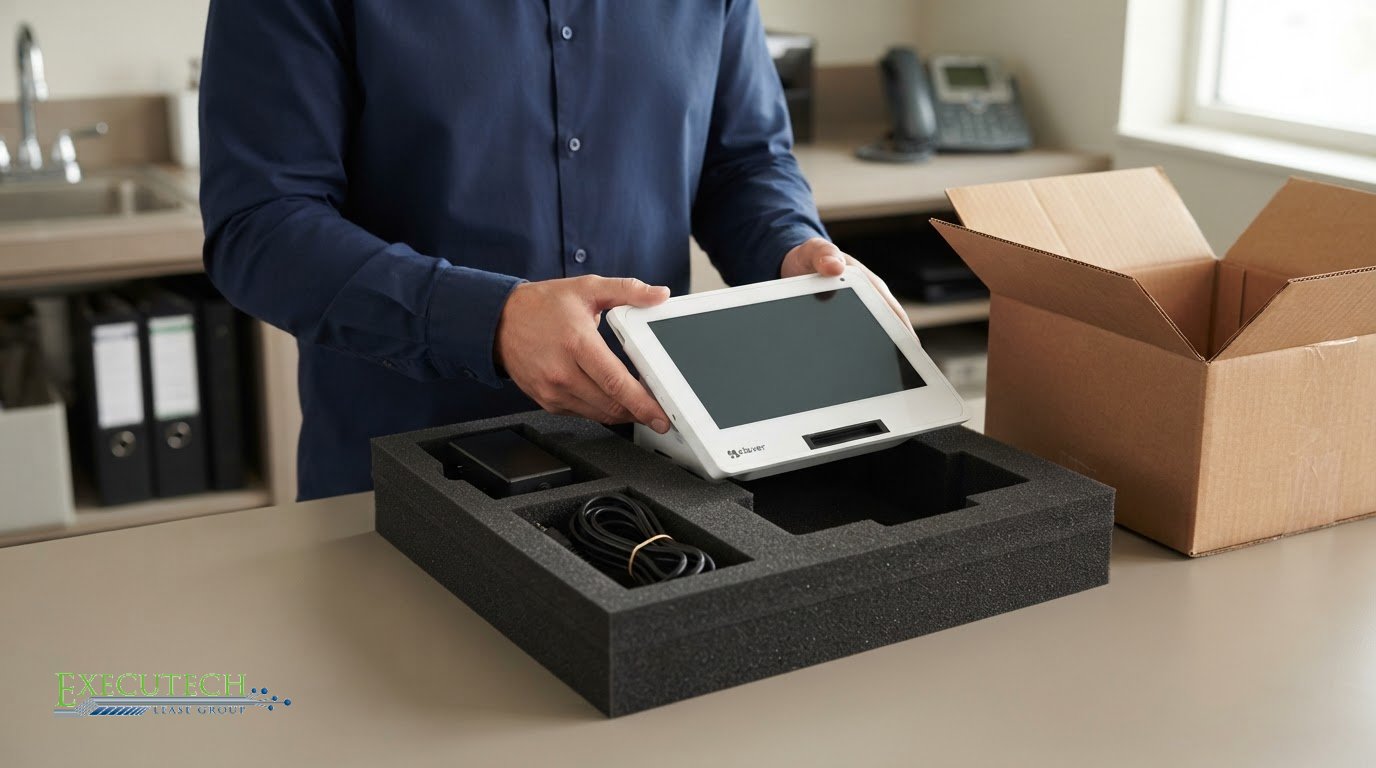
The return shipment can create charges just as easily as missing or damaged equipment. A returning leased POS equipment checklist should begin with your lease’s notice requirements and written return instructions, especially who arranges and pays for transportation. Get the destination, packing requirements, and handoff process in writing before shipping or releasing the equipment.
It’s easy to focus on the device and overlook the logistics. But your agreement determines what must be returned, where it goes, the required condition, and who handles transport. Making the final lease payment alone may not complete the return or end every obligation.
This guide walks you through coordinating the return, preparing the POS equipment and records, documenting the handoff, and reducing the risk of avoidable turn-in charges. Follow each step in order, from reviewing the agreement and assigning a return contact to keeping proof of shipment and addressing any final-charge questions.
Key Takeaways
- Review the lease terms for notice deadlines, return conditions, and end-of-term options before arranging a handoff.
- Assign one coordinator to align the business, equipment provider, leasing company, and IT team on their responsibilities.
- Document the POS equipment’s condition and follow the specified timing, destination, and packaging instructions.
- Use the original contract to identify required keys, accessories, and records, then keep proof of what you return.
- Compare available transportation methods by total cost, including shipping and the employee time needed to prepare and send equipment.
How can I avoid extra charges when I turn in my lease?
Start with the signed lease agreement, not an assumed return process. A final scheduled payment doesn’t necessarily end every lease obligation. The agreement may require advance written notice, specify an end-of-term option, or explain how the equipment must be returned. Use this returning leased POS equipment checklist to capture every requirement before arranging shipment or pickup.
- Find the end-of-term clause. Note the notice method, deadline, recipient, and any required return or purchase option, because missing a stated action period may trigger renewal.
- Check the notice terms. If the agreement requires advance written notice, send it using the stated method and keep a dated copy with the lease records.
- Get return instructions in writing. Ask for the approved destination, delivery window, packaging directions, and any required return authorization before dispatching a terminal.
- Confirm who arranges transport. Establish whether the leasing company or your business books pickup, and identify who pays transportation costs under the agreement.
- Match the return to the contract. Compare the listed device and included items against what you plan to send, since missing equipment can prompt a charge.
- Keep handoff evidence. Save the carrier record, tracking details, and delivery confirmation with your notice and return instructions.
Be specific when confirming pickup. Give the leasing company the equipment model, serial number, pickup address, and contact person who can release the package. Ask whether the carrier will bring a label or your business must prepare one. If pickup isn’t available, get the approved shipping method and destination in writing. Requirements vary by agreement, so don’t assume an old invoice has the correct return address.
If the POS leasing company doesn’t confirm receipt or continues billing, contact it promptly in writing. Include the tracking or delivery record, return date, and lease account details, and ask about the billing status and dispute deadline.
Before sending the package, save a copy of the complete signed agreement and your written correspondence. Record the date the equipment leaves your site and the person who hands it to the carrier. If an invoice arrives after delivery, compare its dates and description with your return evidence and contract terms. Respond in writing with relevant records, and pay any valid charge by its due date to avoid additional penalties.
Coordinating responsibilities among the business, provider, leasing company, and IT team
Assign one person in your business to manage the POS return. That coordinator keeps the leasing company, equipment provider, and IT team aligned. A lease agreement and service agreement may be separate, so list each contract, its end date, and its relevant contact. Confirm who handles return authorization, equipment preparation, system access, and final billing.
Give each party a defined task. For example:
- Business coordinator: tracks deadlines, records decisions, and shares updates with all parties.
- Leasing company: provides the return requirements, identifies lease-end charges, and confirms receipt.
- Equipment provider: coordinates equipment-related logistics and identifies any provider-managed transition tasks.
- IT contact: records which settings can transfer and which must be configured again on replacement equipment.
Keep the task list in one shared document. Include the POS device model, serial number, assigned owner, responsible person, and completion status. If the IT team needs to remove a device from a network or payment environment, record who will handle it and when. This helps prevent shipping before data and access tasks are addressed.
Separate a repair estimate from a lease-end assessment. If you have an estimate for a damaged terminal, compare the listed work with the lease agreement’s return-condition language and any written charge description. Ask the leasing company to explain its assessment and identify the contract term behind a proposed charge. Keep the estimate, photos, assessment, and related emails together. An estimate helps you evaluate the issue, but it doesn’t replace the lease terms or determine the final charge.
Compare total operating costs before deciding how the next equipment stage fits your budget. List remaining lease obligations, documented return charges, provider service costs, and operating costs for the replacement setup. Keep lease charges separate from service charges, since different agreements may govern them. The business owner or finance lead can review the full picture alongside the IT team’s transition requirements.
If returning the device is part of a planned end-of-term replacement, the coordinator can align the transition with a new equipment financing application. Submit an equipment financing application when that next step fits your plan.
Equipment return timing, location, condition, and packaging
Set the return date according to the lease agreement and the leasing company’s written instructions. Allow time to prepare before the expected handoff instead of scheduling shipment for the final day. Confirm the approved destination, receiving hours, and whether pickup is arranged at your site or delivery is required. Keep the return authorization and carrier instructions with the equipment records.
Prepare the terminal for transport according to the return instructions. Don’t assume the original box is required or that any box will do. Confirm packaging requirements, whether cables or accessories must accompany the POS equipment, and how the carrier should identify the shipment. If a label or authorization number is required, attach it as directed and retain a copy before dispatch.
- Match the device: Compare the model and serial number with the return documents to avoid sending the wrong terminal.
- Inspect the exterior: Check the screen, casing, ports, and attached cables for visible damage or wear.
- Record existing condition: Note any visible issue and its location before packing, so your records show the device’s state at handoff.
- Photograph the equipment: Take clear, time-stamped photos of each side, the screen, and included accessories before packing.
- Secure the package: Use the required packaging and arrange the equipment so it cannot shift during transit.
Document the equipment’s condition carefully. Record a cracked screen, loose casing, or missing cable separately from normal surface wear. Don’t attempt repairs on the assumption they will reduce a lease-end charge. Instead, keep photos and compare the documented condition with the agreement’s return requirements. The leasing company’s assessment and contract terms determine how a condition issue is handled.
Back up business information before returning the POS device. Coordinate with your IT contact to identify needed records, then use the device-specific secure-erasure process before shipment. A routine reset may not remove everything stored, so document the procedure and its completion.
Keep all return evidence together: inspection notes, time-stamped photos, packaging records, shipping receipt, and delivery confirmation. For example, save them in one folder labeled with the terminal’s serial number. This creates a clear record of the equipment’s condition, preparation, and handoff if a later assessment raises questions.
Gathering keys, accessories, and maintenance records
Use the original contract as your packing checklist. Review the equipment schedule and any return clause for each POS terminal, accessory, and record the leasing company expects. Separate listed items from those your business purchased or owns. Don’t assume every cable, key, or peripheral belongs in the return package. Follow the contract and written return instructions.
Make an inventory before packing. Match each listed item to the equipment on hand, and note anything missing or damaged. If the contract lists a terminal key, power adapter, cable, or card reader, record its condition and place it with the corresponding device. Don’t automatically add an item that isn’t listed. Confirm whether the return instructions require it.
- Match each device: Write the model and serial number beside its contract entry.
- Collect listed accessories: Gather only the keys, cables, adapters, or peripherals specified in the contract or return instructions.
- Separate business-owned items: Label items your business retains, such as a separately purchased accessory.
- Record exceptions: Note a missing cable or damaged key and preserve the related correspondence.
Next, gather records tied to the equipment and its return. Keep the signed contract, equipment schedule, return authorization, and leasing company instructions together. Add any service or maintenance paperwork your business already holds for that terminal. These records can document the equipment’s history and clarify which agreement covers a service. They don’t replace the contract’s return requirements.
Organize records by device rather than in one mixed stack. For example, create a folder labeled with a terminal’s serial number, then save its contract entry, inspection notes, and service documents there. Keep a separate inventory showing which accessories belong with each unit. This makes it easier to match the package to the return paperwork after dispatch.
Before sealing the package, compare its contents with your inventory and the return instructions. Have a second staff member check the list if several terminals are being returned. Photograph the grouped accessories and keep the final inventory with the shipping record. If the leasing company later reports a missing item, you’ll have a dated record of what your business packed and sent.
Keep the original documents accessible after the equipment leaves. Store the signed agreement, itemized inventory, service records, and delivery confirmation together. Clear records help distinguish a contract-listed accessory from a business-owned item and support a prompt written response if a return question arises.
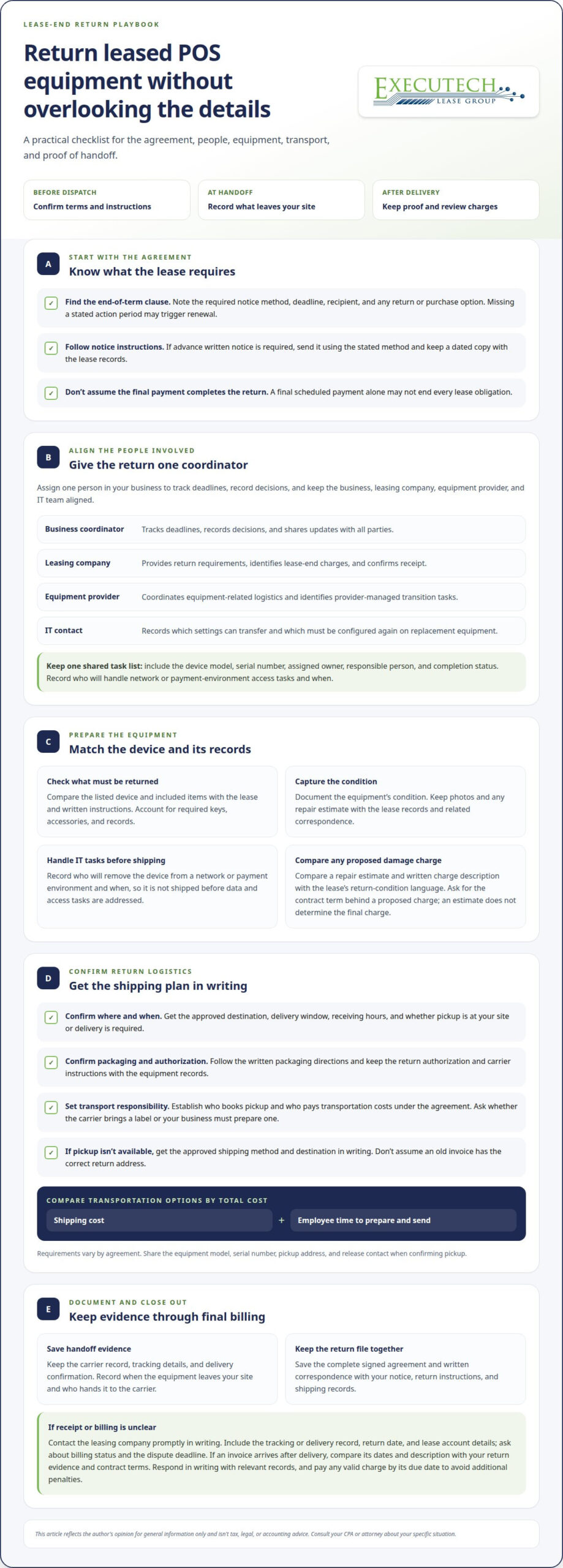
Transportation costs for returned equipment
The lease agreement and written return instructions determine who is responsible for transportation. Identify who books and pays before choosing a return method. The leasing company may specify an approved carrier, pickup process, or delivery destination. A cheaper-looking option can add handling or cause delays if it doesn’t meet those requirements.
Compare only methods the leasing company accepts. Request written estimates or shipping instructions for each available option, then compare the same details:
- Carrier pickup: Record the pickup window, package requirements, and who supplies the label.
- Business-arranged shipping: Compare quotes using the package’s weight, dimensions, origin, and approved destination.
- Drop-off: Confirm the location accepts the return and whether staff must provide specific documents.
- Leasing-company arrangement: Ask whether transport is included in its process or billed separately under the agreement.
Make a like-for-like comparison. A shipping quote may cover transport but exclude packing materials or employee preparation time. Confirm whether the package needs special labeling, a return authorization, or scheduled collection. Keep the written quote with the lease instructions so your chosen method matches both the cost details and return conditions.
Count employee time as an operating cost, even when no separate transport invoice appears. Have the employee record time spent locating the terminal, collecting listed accessories, packing it, preparing documents, and handing it to the carrier. For example, compare a carrier pickup that requires onsite preparation with an approved drop-off that requires travel and handoff time. Include travel and coordination in your internal comparison.
Before approving a method, add the quoted transport charges, packaging materials, and staff time. Use your business’s own labor-cost method rather than assuming employee time is free. Then check the total against the lease agreement’s transportation terms. Save the selected quote, receipt, tracking record, and delivery confirmation. These documents show which method you used and help explain later billing questions.
Decide based on the full cost and return requirements, not the shipping label alone. If the leasing company requires a particular carrier or pickup process, follow that instruction even if another option seems simpler. A compliant handoff with documented delivery gives your records a clear endpoint.
Executech Lease Group (ELG Leasing): 12-60 Month Credit Card and POS Equipment Leases
Executech Lease Group (ELG Leasing) helps businesses acquire payment-processing technology through credit card and POS equipment leases with 12-60 month terms. If you’re planning for equipment at the end of a current lease, a new lease may help fund replacement POS equipment. The existing lease agreement still governs the return, notice, and charges for the equipment you’re turning in.
Choose a structure that fits your equipment plan. ELG offers lease-to-own and Fair Market Value (FMV) lease options, along with credit card and POS equipment leases. These options differ in their end-of-term terms and ownership structure, so review the applicable agreement before deciding how a new equipment arrangement fits your business.
- Credit card and POS equipment leases: Finance payment-processing equipment, including Clover devices, with terms from 12-60 months.
- Lease-to-own programs: Consider this option when your plan includes acquiring ownership under the lease terms.
- FMV lease options: Consider this structure when you want an end-of-term option governed by the agreement.
Keep the current return separate from a new financing decision. The lessor named in your existing agreement provides the applicable return instructions and assesses charges under that contract. A new lease doesn’t erase existing responsibilities. Preserve the return records, then consider new equipment financing as a separate step.
This approach can help when your business is planning replacement equipment at the end of its current lease term or arranging POS equipment for a new need. Gather the equipment details and intended use before reviewing financing options. That gives the conversation a practical starting point without mixing return costs with the terms of a new lease.
ELG focuses on leasing payment-processing equipment. It doesn’t provide equipment repairs, maintenance, or replacements. If a return inspection identifies a device issue, handle it according to the existing agreement and the manufacturer’s applicable warranty, if any. Keep those matters separate from financing a future POS system.
For a clear next step, contact Executech Lease Group to discuss credit card or POS equipment leasing for your business.
Make the Return a Clean Starting Point
A completed equipment return can clarify what your business needs next. Treat the transition as a planning checkpoint: identify which payment functions must continue, which equipment no longer fits, and what the next setup needs to support. This keeps your next decision grounded in business operations, not just the outgoing device.
Keep the returning leased POS equipment checklist as a working record for your team. It helps staff distinguish completed return tasks from open questions and supports an organized conversation about future equipment. Assign a clear owner to that planning step, and keep it separate from any remaining obligations under the existing lease.
When you’re ready to explore equipment financing for a future POS setup, Executech Lease Group can discuss available options with you.
A well-managed transition gives your business a clearer path forward. Take the next step when your equipment plans are ready.
Frequently Asked Questions
What equipment and accessories must be returned with a leased POS system?
Return the equipment and accessories identified in your lease schedule or return instructions. The list may identify a terminal by model or serial number and specify items such as a power supply, cables, or peripherals. Separate leased items from equipment your business owns. If the documents use a general label such as “POS system,” compare it with the original equipment inventory to identify the leased components.
How do I find the POS lease return requirements in my contract?
Look for sections titled “end of term,” “return,” “equipment,” or “default” in the signed lease and its attachments. The equipment schedule may identify what the contract covers, while the return clause explains the required process. Search the document for “notice,” “renewal,” and “return location” too. Keep amendments with the original contract, since a later signed document may change the applicable instructions.
How should I disconnect, pack, and ship leased POS terminals and peripherals?
Have your IT contact close out the terminal’s business connections and remove stored customer information before packing. Follow the device manufacturer’s shutdown instructions, then keep each terminal’s cables and listed peripherals together. Use packaging that meets the leasing company’s instructions and prevents movement in transit. Place return paperwork where the receiving team can identify the shipment, and retain a copy outside the package.
Where do I get a return authorization number and prepaid shipping label for POS equipment?
Use the return instructions or contact details for the leasing company named in your agreement. A return authorization number and prepaid label aren’t automatic features of every lease. If the company issues them, keep the number with the shipment record and use the label only for the destination and equipment it identifies. If the instructions require you to arrange transport, follow that process.
Who pays shipping and insurance when returning leased POS equipment?
The lease agreement and written return instructions determine who arranges and pays for transportation. They also establish the approved return method and any requirements affecting shipment coverage. Before dispatch, identify whether your business must book transport or use a company-arranged pickup, then keep the relevant instructions and receipt together. Don’t assume a shipping label includes insurance or other transport costs.
How are damage, missing accessories, or normal wear assessed on returned POS equipment?
The lease agreement’s return-condition terms and the leasing company’s assessment govern how a device’s condition is evaluated. Compare a missing accessory with the equipment schedule, and document visible damage against your pre-shipment records. “Normal wear” has no universal definition for every POS lease. Use the agreement’s wording, and keep any written assessment with photos and inventory notes if you question a charge.
How can I document the condition and shipment of returned POS equipment?
Create a record for each terminal that connects its serial number to its package and shipment. Save dated photos of the device and accessories, then photograph the packed contents before sealing the box. Keep the carrier receipt, tracking record, and delivery confirmation with the lease documents. This item-level returning leased POS equipment checklist makes it easier to distinguish one device or accessory from another in a multi-terminal return.
Can I return leased POS equipment to a local office or must I ship it?
The return instructions determine whether the leasing company accepts an in-person drop-off or requires shipment. Don’t assume a nearby business office accepts equipment returns; it may not be the designated receiving point. Use the delivery method and destination stated for your lease, and keep a written handoff record. For a drop-off, request documentation identifying the equipment accepted and the date it changed hands.
This article reflects the author’s opinion for general information only and isn’t tax, legal, or accounting advice. Consult your CPA or attorney about your specific situation.

Article by
Robert Ensminger
Robert Ensminger is the founder and CEO of Executech Lease Group (ELG Leasing), which specializes in equipment leasing and financing solutions for the merchant-services, payments, POS, and FinTech industries. With more than 20 years of industry experience, Robert helps ISOs, payment processors, POS providers, and software companies build practical equipment leasing programs. He founded ELG in 2010. His work focuses on responsive service, transparent program structures, subscription and SaaS-monetization programs, and helping ELG’s partners close more business while creating sustainable revenue.