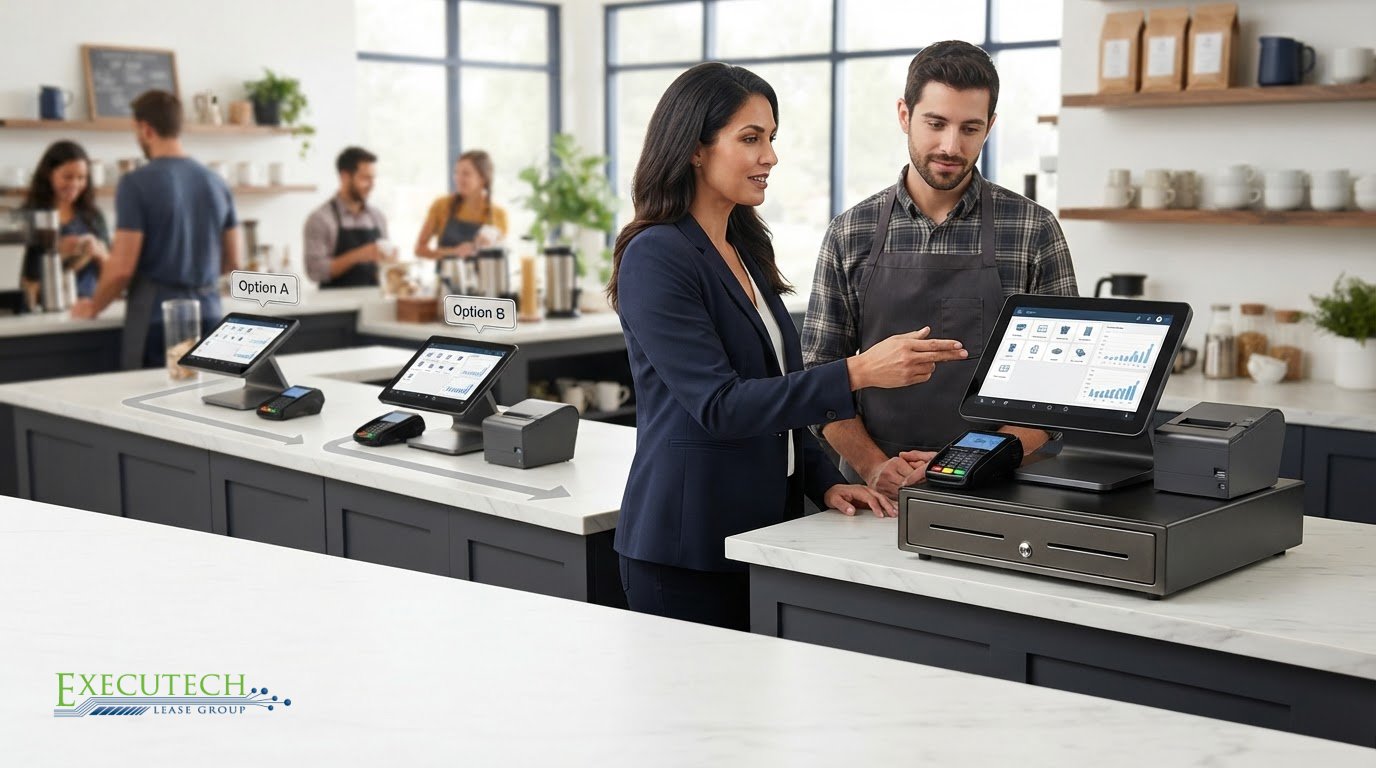
A no-money-down touch screen pos lease still creates a real financial obligation. No money down does not mean the equipment is free. Before choosing a lease, make sure the touchscreen setup fits your daily workflow and that you understand the payment and lease-end terms.
Choosing a screen-based setup involves more than comparing terminals. Consider what staff need to do on the system, which hardware the proposal includes, and what happens at the end of the lease. Executech Lease Group (ELG) offers two distinct options: its FMV lease ends with about a 10% buyout, while its lease-to-own option ends with a $1 buyout. The right structure depends on your plans for the equipment.
This guide walks through how to assess the equipment, compare lease structures, and review a proposal. It also explains how merchants can consider equipment leasing through an existing ISO, agent, reseller, or vendor relationship, without confusing an equipment lease with payment processing or a free device.
Key Takeaways
- Match the touchscreen setup to your transaction workflow, counter space, staff roles, and operating conditions.
- Separate essential hardware from software features and services before evaluating a touch screen pos lease.
- Compare FMV and lease-to-own terms by their stated end-of-lease buyouts and your plans for the equipment.
- Review the proposal’s equipment description and distinguish hardware, software, and payment-processing responsibilities.
- Use your existing ISO, agent, reseller, or vendor relationship to review equipment needs and a potential lease proposal.
What Does a Touch Screen POS Lease Cover?
A touch screen POS lease is an equipment lease for point-of-sale (POS) hardware. It is not a payment-processing service. The POS is the system a business uses to record transactions. The touchscreen is the staff-facing interface, while the complete setup may also involve other equipment and separate software or services.
Start by reading the equipment description in the proposal. It identifies what the lease covers and lets you compare the listed setup with your actual workflow. The proposal may distinguish among:
- POS hardware: The touchscreen terminal and any other equipment specifically listed.
- Peripherals: Related equipment included in the proposal. Do not assume accessories are part of the lease unless they are listed.
- Software: Cloud-based POS software may have separate subscription terms. Compare those terms separately from the hardware lease.
- Services and responsibilities: Identify who is responsible for each part of the setup, including any services described in related agreements.
These components can work together without being part of one package. Read the equipment list alongside any software or service terms. Compatibility depends on the specific equipment, configuration, software, and processor requirements. A lease does not establish that every device works with every processor.
Which parts of a touchscreen POS system may be leased?
ELG leases POS systems and credit-card terminals, including touchscreen equipment. A proposal may cover a terminal and related POS hardware, so check each listed item against the setup you need rather than assuming a system includes standard accessories. Hardware is distinct from cloud-based software, which may have separate subscription terms, and from payment-processing services. Keeping those components separate makes it easier to see what the equipment lease covers and what belongs to another part of your merchant setup.
How is equipment leasing different from payment processing?
ELG leases equipment; it does not process payments. A processor handles transactions under a separate merchant-services arrangement. An equipment lease covers the hardware and lease terms identified in the proposal. These are different functions: the lease does not determine your processor obligations or guarantee device compatibility. Keep both responsibilities clear as you evaluate the proposed setup.
How to Evaluate a Touchscreen POS System Before Leasing
Begin with the work the system needs to handle, not the size or appearance of the screen. A practical touch screen pos lease starts with an equipment list tied to your transactions, workspace, staff, and existing technology. That makes it easier to identify essential hardware and separate it from software features or services that are outside the equipment lease.
Match the touchscreen setup to the business workflow
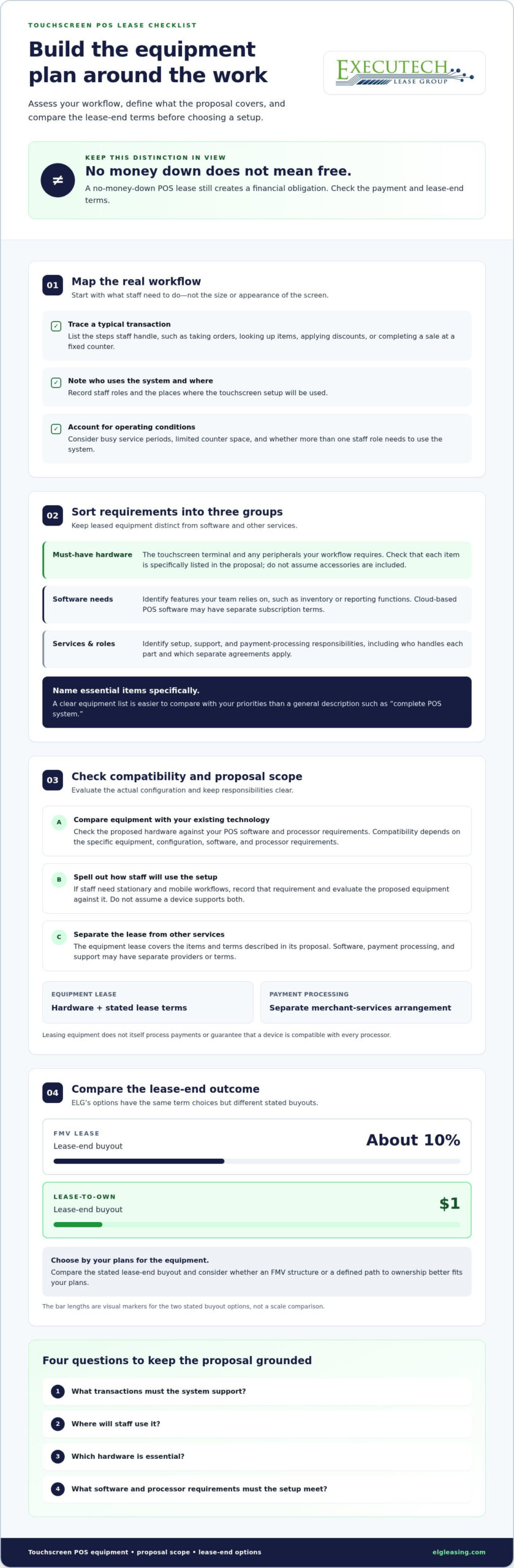
Map a typical transaction from start to finish. Write down what staff need to do, such as taking orders, looking up items, applying discounts, or completing a sale at a fixed counter. Note who will use the system and where. Consider operating conditions such as busy service periods, limited counter space, or the need for more than one staff role.
Organize the requirements into three groups:
- Must-have hardware: The touchscreen terminal and any peripherals your workflow requires.
- Software needs: Features your team relies on, such as inventory or reporting functions, if applicable.
- Services: Setup, support, and processing responsibilities that are relevant to the arrangement.
This simple breakdown helps prevent a software feature from being mistaken for leased equipment. It also gives you a consistent checklist for comparing the proposal with your actual priorities. If an item is essential to a transaction, name it specifically rather than relying on a general description such as “complete POS system.”
Review compatibility and proposal scope
Compare the proposed equipment with the requirements of your processor and existing POS software. Compatibility depends on the specific equipment and setup, so do not assume a device works with every processor or platform. If staff need stationary and mobile workflows, record that requirement clearly and evaluate the proposed equipment against it without assuming a particular device will support both.
Next, identify who handles each part of the arrangement. The lease covers the equipment described in its proposal. Software, payment processing, and support may have separate providers or terms. Keeping those responsibilities distinct helps you understand what the lease addresses and which other agreements apply.
Before reviewing a proposal, be ready to answer four questions: What transactions must the system support? Where will staff use it? Which hardware is essential? What software and processor requirements must the setup meet? Use those answers to compare equipment and lease scope. For broader context, review ELG’s POS equipment leasing programs. Once you have defined your needs, you can discuss a vendor relationship through your existing merchant-services network or learn about vendor-partnership inquiries.
FMV vs. Lease-to-Own: Compare Touchscreen POS Lease-End Options
The lease term is only one part of the decision. For a touch screen pos lease, compare the stated lease-end outcome as well. ELG offers FMV and lease-to-own options with the same term choices but different buyouts. Consider your equipment plans and whether an FMV structure or a defined path to ownership better fits them.
| FMV option | Lease-to-own option |
|---|---|
| Terms: 12, 24, 36, 48, or 60 months | Terms: 12, 24, 36, 48, or 60 months |
| Stated lease-end buyout: About 10% | Stated lease-end buyout: $1 |
These figures describe two different options, not a recommendation that one structure fits every merchant. Check that the proposal names the selected program, term, and stated end-of-term buyout. The $1 buyout applies only to lease-to-own, not to every ELG lease.
When might an FMV lease fit equipment planning?
ELG’s FMV option offers terms of 12, 24, 36, 48, or 60 months and ends with about a 10% buyout. When comparing it with lease-to-own, consider how the stated buyout fits your plans for the equipment at the end of the term. Read the proposal for the specific lease-end terms. Do not assume a calculation base, renewal rule, or other condition that is not stated there.
When might lease-to-own fit an ownership preference?
ELG’s lease-to-own option offers 12, 24, 36, 48, or 60-month terms and ends with a $1 buyout. That stated outcome may suit a preference to own the equipment after the lease, subject to the agreement’s terms. The $1 buyout applies only to lease-to-own. Compare it with the FMV option’s buyout of about 10%, rather than assuming all programs end the same way.
Keep the comparison focused: first match the term to your equipment planning, then consider each option’s stated buyout and your preference for the equipment at term end. A buyout figure does not describe every part of a lease, so read it alongside the rest of the proposal. Review the details of ELG’s leasing programs as you compare the available structures.
What to Check in a Touchscreen POS Lease Proposal
A useful proposal connects the equipment you need with clear lease terms and responsibilities. Review the complete arrangement, not just the terminal or payment amount. The checks below can help you confirm that the equipment description and selected structure align with your operating needs.
Review the equipment, term, and lease-end wording
First, match every listed item to the setup you evaluated. Check whether the proposal separates hardware from software and services. Then review the selected lease structure and term. ELG’s FMV and lease-to-own options offer terms of 12, 24, 36, 48, or 60 months, with different stated end-of-term buyouts.
- FMV: Confirm the proposal identifies the buyout of about 10%.
- Lease-to-own: Confirm it identifies the $1 buyout, which applies only to this structure.
- Payment obligation: No money down does not mean the equipment is free or remove the lease’s financial obligation. Read the payment terms in the proposal.
Check that the selected option, term, and lease-end wording are consistent throughout the proposal. Do not assume a buyout or outcome that the agreement does not state.
Separate equipment, software, and processing responsibilities
A touchscreen system can involve several agreements or parties. Confirm that the proposal distinguishes leased hardware from POS software and payment processing. ELG leases equipment and does not process payments. Your processor’s requirements and obligations remain separate, and the lease does not guarantee compatibility. Clear responsibility lines help you understand exactly what the proposal covers and what is addressed elsewhere.
Understand the process and each party’s role
Merchants can review ELG equipment leasing through an ISO, agent, or vendor relationship. ELG provides credit decisions in 1-2 business hours. That is the decision timeframe only; it is not a guarantee of approval or a timeline for funding, delivery, or installation. For a high-level view of the steps, see the ELG leasing process flow.
Before moving forward, compare the proposal with your equipment list, selected lease structure, term, and processor requirements. A clear proposal makes those details easier to assess without blending separate responsibilities.
How to Move Forward With an ELG Touchscreen POS Lease
Bring your equipment requirements and lease preference together before reviewing a proposal. List the hardware your workflow needs, choose whether FMV or lease-to-own better matches your plans, and then check the proposal’s equipment list, term, and stated lease-end option. This keeps the decision focused on both the setup and the financial obligation, not just the touchscreen.
ELG works within the merchant-services and payments-technology ecosystem. Merchants typically consider equipment proposals through an ISO, agent, or vendor relationship. An ISO is an independent sales organization. These relationships can connect merchants with equipment leasing, while payment processing remains a separate function. ELG leases equipment; it does not process payments or determine a merchant’s processor obligations.
How merchants and payment partners can engage
If you are a merchant, use your existing ISO, agent, or vendor relationship to review the proposed equipment and lease structure. Keep the roles distinct: the leasing arrangement addresses equipment, while your payment-processing relationship handles transaction services. A touch screen pos lease should match the equipment you need and the terms presented. It does not replace payment processing.
ISOs, agents, and vendors can discuss a business relationship with ELG. This is a potential vendor partnership within the payments-technology ecosystem, separate from payment processing and merchant-account services.
What to expect from an ELG discussion
Vendors and payments partners can use a discussion with ELG to explore a potential partnership and how equipment leasing may fit the merchant solutions they support. The Apply Now page is for vendor-partnership inquiries. It is not a financing application and does not submit a merchant for a credit decision.
Merchants can prepare by gathering their equipment requirements and deciding which lease-end structure they want to consider. Payment partners can use the inquiry to discuss becoming an ELG vendor. Starting with a clear purpose helps keep equipment leasing, processing, and partnership responsibilities separate.
Make Your POS Lease Decision With Clarity
A practical touch screen pos lease starts with equipment that fits your workflow and a proposal that separates hardware, software, and payment-processing responsibilities. Compare the lease term and end-of-term option with your plans for the equipment. ELG’s FMV and lease-to-own options have different stated buyouts, so consider those outcomes as part of the decision.
Keep decision timing in perspective. ELG provides credit decisions in 1-2 business hours. This refers to the credit decision only, not approval, funding, delivery, or installation. Merchants typically review equipment proposals through an ISO, agent, or vendor relationship, with leasing and payment processing remaining separate.
Vendors and payments partners can use ELG’s inquiry page to discuss a potential vendor relationship. The Apply Now page is for vendor-partnership inquiries, not a merchant financing application or a route to a credit decision.
Discuss becoming an ELG vendor
Define your equipment needs, compare the lease structures, and bring your questions to your existing merchant-services partner. If you are a payments partner, discuss becoming an ELG vendor.
Frequently Asked Questions
What is a touch screen POS lease?
A touch screen POS lease is an equipment lease for a point-of-sale (POS) system, not a payment-processing service. A POS system is used to record business transactions. Depending on the proposal, leased equipment may include a touchscreen terminal and related POS hardware. Software and payment processing are separate responsibilities, so review what the agreement covers and how the equipment fits your merchant setup.
Does ELG require money down for a touchscreen POS lease?
No. ELG offers no-money-down equipment leasing. That means no down payment is required; it does not mean the equipment is free or remove the lease’s financial obligation. The proposal sets out the lease terms and payment obligations. Review the equipment, selected lease structure, term, and stated end-of-term option together before deciding whether the arrangement fits your business.
What is the difference between an FMV lease and lease-to-own?
ELG’s FMV option offers 12, 24, 36, 48, or 60-month terms and ends with about a 10% buyout. Lease-to-own offers the same term choices and ends with a $1 buyout. The $1 buyout applies only to lease-to-own, not every ELG lease. Compare the term and end-of-term wording in the proposal with your plans for the equipment.
How fast does ELG make a credit decision?
That timeframe refers only to the credit decision. It does not promise approval, funding, equipment delivery, or installation within that period. Decision timing is not a complete timeline for acquiring or setting up POS equipment; other steps and responsibilities are separate.
Does ELG process payments or provide a merchant account?
No. ELG does not process payments or provide a merchant account. Its role is equipment leasing within the merchant-services and payments-technology ecosystem. A payment processor handles transactions, while the lease covers the equipment identified in the proposal. Keep the lease separate from processor and merchant-account agreements, because ELG does not control those obligations or terms.
Can every touchscreen POS device work with every processor?
No. Device compatibility is not universal. It depends on the equipment, configuration, software, and processor requirements. Compare the proposed equipment with your existing technology rather than assuming a terminal will work with every processor or platform. A lease describes equipment and lease terms; it does not guarantee compatibility or change your processor’s requirements.
Does submitting ELG’s Apply Now form produce a financing decision?
No. ELG’s Apply Now page is for vendor-partnership inquiries, not a financing application or a route to a credit decision. Merchants typically review equipment proposals through an ISO, agent, or vendor. An ISO is an independent sales organization. Keep a vendor inquiry separate from a merchant’s equipment lease review and any credit decision.

Article by
Robert Ensminger
Robert Ensminger is the founder and CEO of Executech Lease Group (ELG Leasing), which specializes in equipment leasing and financing solutions for the merchant-services, payments, POS, and FinTech industries. With more than 20 years of industry experience, Robert helps independent sales organizations, payment processors, POS providers, and software companies develop practical leasing, subscription, and SaaS-monetization programs. He founded ELG in 2010 and guided the company to recognition on the Inc. 5000. His work focuses on responsive service, transparent program structures, and helping ELG’s partners close more business while creating sustainable revenue.